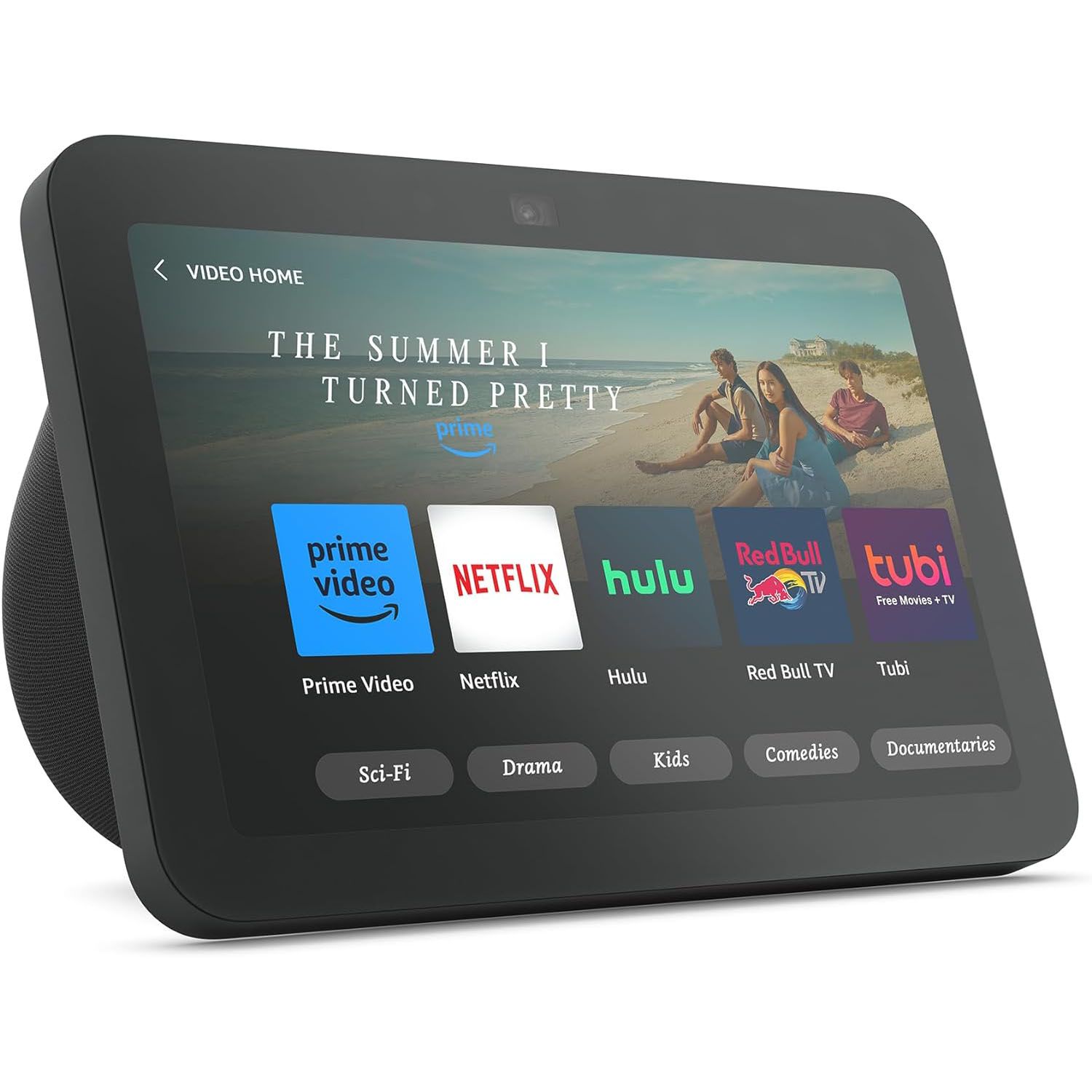
Best Smart Home Hub 2026: Zigbee, Z-Wave, Thread & Matter
Five smart home hubs compared on the protocols that actually matter in 2026 — Zigbee, Z-Wave, Thread, and Matter — and on whether they process automations locally when the internet goes down.
Each hub evaluated on supported wireless protocols (Zigbee, Z-Wave, Thread, Matter, Wi-Fi, Bluetooth), local vs. cloud processing for automations, compatible device ecosystem breadth, routine/automation builder flexibility, voice assistant integration, and privacy posture. Prices from Amazon US and official brand stores as of May 2026.
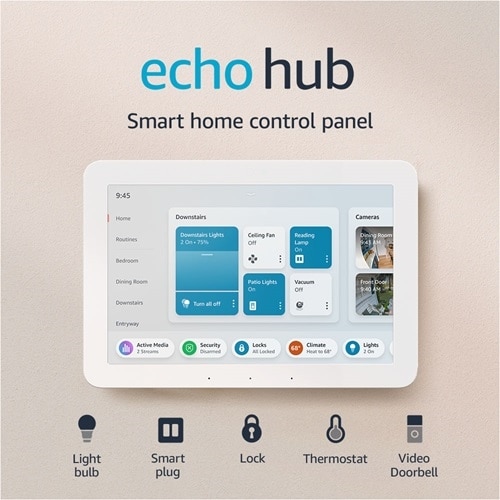
Amazon Echo Hub
Best for Alexa Households: The Amazon Echo Hub is the right buy for Alexa households who want a dedicated wall-mounted control panel with an integrated Zigbee, Thread, and Matter hub. The 8-inch touchscreen provides dashboard-style home control without relying on a phone, and the wall-mount bracket is included.
Top picks ↓| Product | Price | Link |
|---|---|---|
| 22980〜27000 | View deal → | |
| 27800〜35000 | View deal → | |
| 16800〜22000 | View deal → | |
| 13500〜17000 | View deal → | |
| 12800〜16800 | View deal → |
Top picks
Related articles
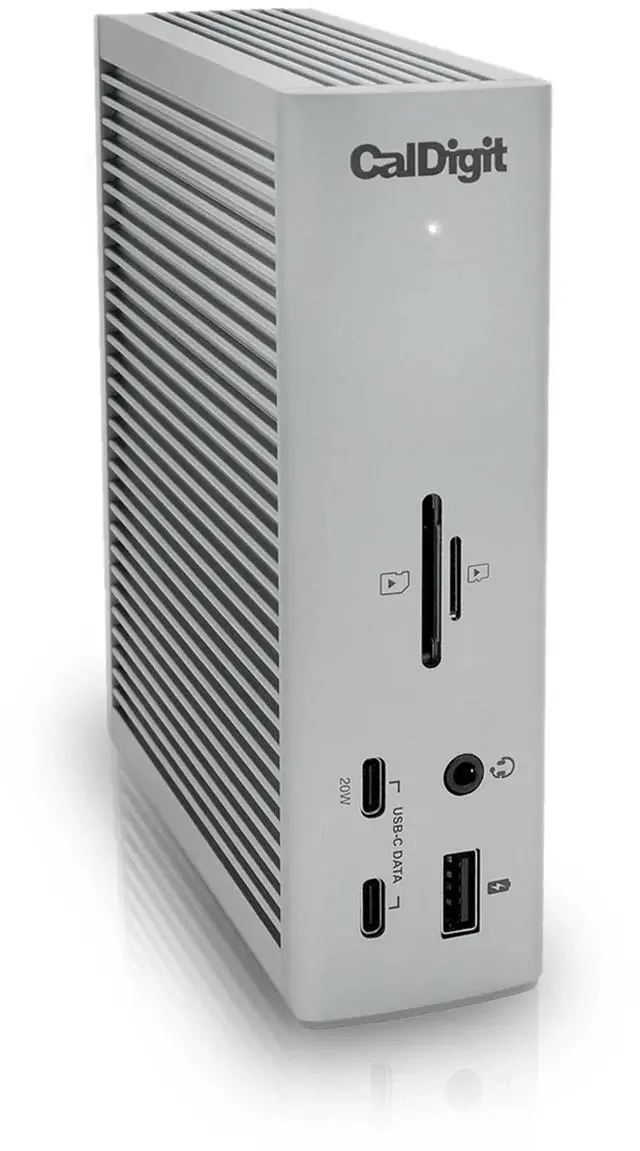
Amazon Echo Hub
Best for Alexa homes — 8-inch wall panel with Zigbee/Thread/Matter at $179. No Z-Wave; partial local processing; needs outlet near mount.
The Amazon Echo Hub is the right buy for Alexa households who want a dedicated wall-mounted control panel with an integrated Zigbee, Thread, and Matter hub. The 8-inch touchscreen provides dashboard-style home control without relying on a phone, and the wall-mount bracket is included. Alexa Routines cover the majority of common automation patterns (time-based, motion-triggered, voice-activated, sensor-conditional). Honest weaknesses: Z-Wave is absent — a significant limitation if your security devices (locks, sensors) use Z-Wave; complex multi-step automations route through Amazon's cloud rather than running locally; installation requires an outlet near the wall-mount point.
Pros
- ✓8-inch wall-mounted touchscreen — only Alexa device with integrated hub and display
- ✓Zigbee, Thread, and Matter radios built in
- ✓Alexa Routines builder is the most beginner-friendly automation interface here
- ✓Works as Thread Border Router for Thread-native Matter devices
Cons
- ✗No Z-Wave support — a real gap for Z-Wave lock and security device users
- ✗Complex automations route through Amazon cloud rather than locally
Score breakdown
| Protocols | Zigbee, Thread, Matter, Wi-Fi, Bluetooth |
| Z-Wave | No |
| Local Processing | Partial (basic routines only) |
| Display | 8-inch touchscreen |
| Thread Border Router | Yes |
| Matter Version | 1.0 certified |
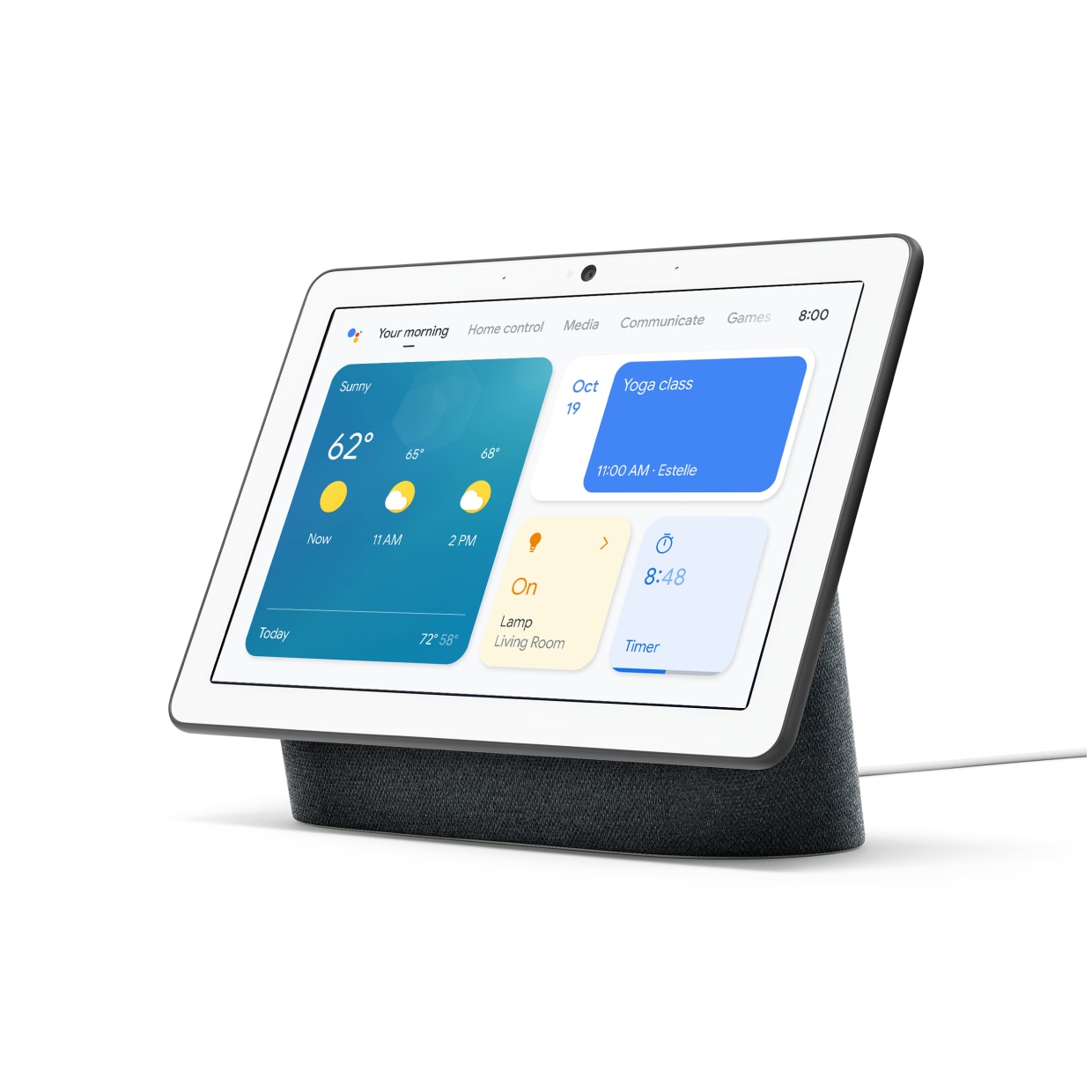
Google Nest Hub Max
Best display for Google homes — 10-inch with Face Match and Nest camera streaming. No local automation processing; no Z-Wave.
The Google Nest Hub Max is the right choice for Google Assistant households who want a large display combining smart home control with Google Photos, calendar, and Nest camera streaming in a kitchen or living room. The 10-inch display and Face Match personalization are genuinely useful for households with multiple residents. Thread Border Router is built in. Honest weaknesses: all automations are cloud-processed — no local automation processing option exists, meaning automations have 200–400 ms latency and fail during internet outages; Z-Wave is not supported; Nest Aware camera history has moved to paid-tier plans.
Pros
- ✓10-inch display with Face Match for personalized content per household member
- ✓Nest camera streaming without a phone or separate app
- ✓Thread Border Router built in for Thread-native Matter devices
- ✓Google Assistant is the strongest natural-language voice assistant in this comparison
Cons
- ✗All automations are cloud-processed — no local fallback during internet outages
- ✗No Z-Wave support; Nest Aware camera history requires paid subscription
Score breakdown
| Protocols | Thread, Matter, Wi-Fi, Bluetooth |
| Z-Wave | No |
| Local Processing | None |
| Display | 10-inch touchscreen |
| Thread Border Router | Yes |
| Matter Version | 1.1 certified |

Samsung SmartThings Station
Broadest protocol coverage at $129 — Zigbee/Thread/Matter/Z-Wave(via hub). App complexity is the highest; hardware discontinuation risk.
The Samsung SmartThings Station is the broadest-protocol hub in this comparison at $129 — Zigbee and Thread built in, Matter 1.2 controller certified, and Z-Wave support via paired SmartThings Hub for legacy device users. The SmartThings compatible device catalog (5,000+ certified devices) is the largest in this comparison. Honest weaknesses: the SmartThings app is the most complex to navigate of the five for new users; local automation processing is limited to specific device handlers; Samsung's history of discontinuing SmartThings Hub hardware generations is a legitimate long-term concern.
Pros
- ✓Zigbee, Thread, and Matter 1.2 in one $129 device
- ✓5,000+ compatible certified devices — largest ecosystem in this comparison
- ✓Z-Wave available via SmartThings Hub pairing for legacy security devices
- ✓SmartThings automation builder supports complex multi-condition rules
Cons
- ✗SmartThings app complexity is the highest in this group for new users
- ✗Samsung's hub hardware discontinuation history is a long-term investment risk
Score breakdown
| Protocols | Zigbee, Thread, Matter, Wi-Fi, Bluetooth (Z-Wave via paired hub) |
| Z-Wave | Via paired hub |
| Local Processing | Partial (supported device handlers only) |
| Display | None |
| Thread Border Router | Yes |
| Matter Version | 1.2 certified |
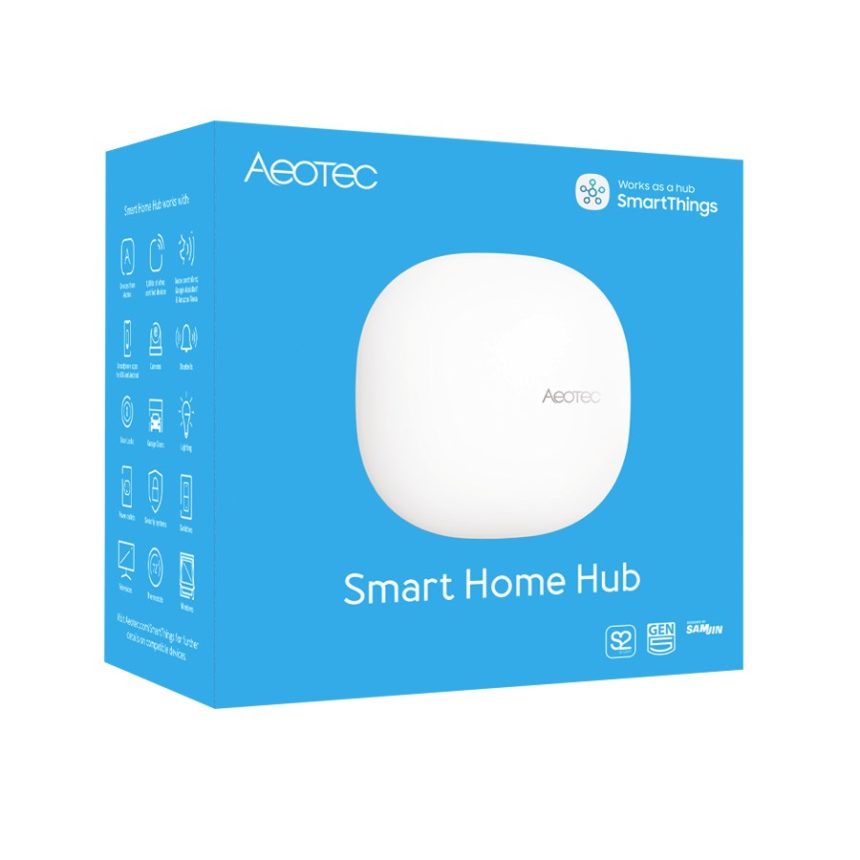
Aeotec Smart Home Hub
Best for Z-Wave + local processing — Z-Wave 700, Zigbee 3.0, Matter 1.3 at $99. Most technical setup; no display.
The Aeotec Smart Home Hub is the correct pick for buyers who need genuine Z-Wave 700 and Zigbee 3.0 in a single device with the deepest local automation processing available in this comparison. As the officially licensed SmartThings hardware successor, it runs the same SmartThings firmware and device catalog. Local processing for supported device handlers is real — motion-triggered lights respond in under 50 ms and automations continue during internet outages. Matter 1.3 bridge functionality allows older Z-Wave and Zigbee devices to appear as Matter devices in any Matter controller. Honest weaknesses: setup is more technical than Amazon, Google, or Apple consumer flows; no display; the SmartThings IDE complexity requires patience.
Pros
- ✓Z-Wave 700 and Zigbee 3.0 both certified in one device
- ✓Deepest local processing in this comparison — automations run during internet outages
- ✓Matter 1.3 bridge brings Z-Wave/Zigbee devices into any Matter ecosystem
- ✓Best price-to-capability ratio at $99 for dual-protocol users
Cons
- ✗Setup is more technical than consumer-facing Amazon, Google, or Apple flows
- ✗No display; the SmartThings app complexity requires patience to master
Score breakdown
| Protocols | Z-Wave 700, Zigbee 3.0, Thread, Matter, Wi-Fi, Ethernet |
| Z-Wave | Yes (Z-Wave 700 certified) |
| Local Processing | Comprehensive (default for supported handlers) |
| Display | None |
| Thread Border Router | Yes |
| Matter Version | 1.3 certified |
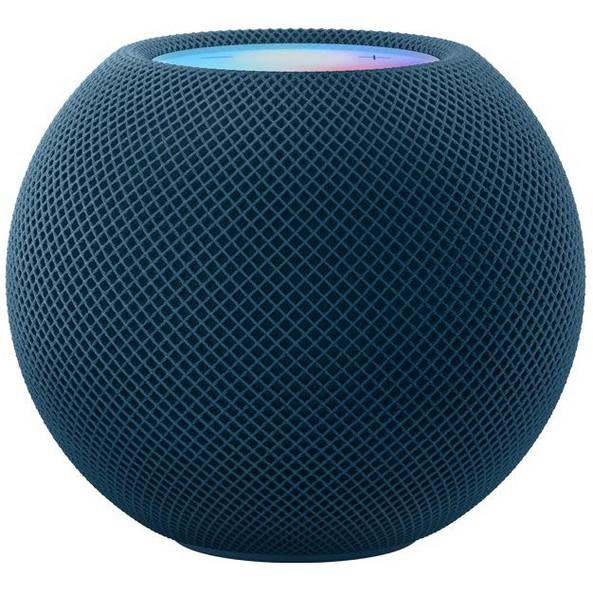
Apple HomePod mini
Best for HomeKit — full local automation, stable Thread border routing at $99. Smallest device catalog; no Z-Wave or Zigbee.
The Apple HomePod mini at $99 is the correct hub for Apple HomeKit households — serving simultaneously as a Siri speaker, HomeKit hub, and Thread Border Router. All HomeKit automations process locally on-device: latency under 50 ms, continued function during internet outages, no home behavior data leaving the device. Thread Border Router implementation is among the most stable in this list. Honest weaknesses: HomeKit compatible device catalog (~3,000 devices) is significantly smaller than SmartThings or Alexa; Siri is the weakest voice assistant here for complex natural language queries; no Z-Wave or Zigbee radio; outside the Apple ecosystem it provides no hub value.
Pros
- ✓All HomeKit automations processed locally — under 50 ms, works during outages
- ✓Stable Thread Border Router for Thread-native Matter devices
- ✓Privacy-forward: home behavior data processed on-device only
- ✓HomePod mini doubles as a Siri speaker and Apple Music player
Cons
- ✗HomeKit device catalog (~3,000) is significantly smaller than SmartThings or Alexa
- ✗No Z-Wave or Zigbee radio — requires separate bridge for those protocols
Score breakdown
| Protocols | Thread, Matter, Wi-Fi, Bluetooth |
| Z-Wave | No |
| Local Processing | Full (all HomeKit automations) |
| Display | None |
| Thread Border Router | Yes |
| Matter Version | 1.3 certified |
Which one is right for you?
For Alexa households who want a dedicated wall panel
Amazon Echo Hub
Dedicated 8-inch wall-mounted panel with Zigbee, Thread, and Matter — the first Alexa hub with a physical touch interface.
For Google Assistant homes with a kitchen display need
Google Nest Hub Max
10-inch display with Nest camera streaming, Nest Aware integration, Thread support, and Google Assistant built in.
For protocol-agnostic users with Z-Wave and Zigbee legacy devices
Samsung SmartThings Station
SmartThings Station supports Zigbee, Thread, and Matter natively, with Z-Wave via paired hub — the broadest protocol coverage in this list.
For serious home automation builders who want Z-Wave and Zigbee with local processing
Aeotec Smart Home Hub
Aeotec runs SmartThings firmware with certified Z-Wave and Zigbee radios, Matter/Thread bridge, and the deepest local processing in this group.
For Apple HomeKit households who want Siri and Thread border routing
Apple HomePod mini
HomePod mini serves as a HomeKit hub and Thread border router natively, with Siri automations stored locally on the device.
Why Zigbee, Z-Wave, and Thread are not interchangeable
The most common misconception when buying a smart home hub is treating Zigbee, Z-Wave, Thread, and Wi-Fi as equivalent options for device connectivity. They are not. Zigbee operates on the 2.4 GHz band and uses a mesh network where each Zigbee device extends the network to nearby devices — it supports up to 65,000 devices per network, is battery-efficient, and is the most common protocol for smart bulbs, sensors, and outlets from Philips Hue, IKEA TRÅDFRI, and Sonoff. Its weakness is 2.4 GHz congestion in dense Wi-Fi environments and occasional interoperability issues between different Zigbee implementations (not all Zigbee devices pair with all Zigbee hubs without effort).
Z-Wave operates exclusively on the 868 MHz (Europe) or 908 MHz (US) sub-gigahertz band, which means zero interference with Wi-Fi or Zigbee and better wall penetration. Z-Wave is the protocol of choice for locks, sensors, thermostats, and security devices from Yale, Schlage, Honeywell, and Fibaro — the security and HVAC space standardized around Z-Wave for its reliability. The downside: Z-Wave devices are typically more expensive than Zigbee equivalents, the protocol is controlled by the Z-Wave Alliance with licensing requirements, and not all hubs in this list support Z-Wave directly. Thread is the newest of the three — it runs on 802.15.4 radio (like Zigbee) but is IP-based from the ground up, meaning each Thread device has a real IPv6 address and communicates directly with the network. Thread requires a Thread Border Router — a device that bridges the Thread mesh to your Wi-Fi/Ethernet network. The Apple HomePod mini, Amazon Echo Hub, Google Nest Hub Max, and Aeotec Hub all serve as Thread Border Routers. Matter, the application layer standard backed by Apple, Google, Amazon, and Samsung, runs on top of Thread (and Wi-Fi) and is designed to make devices interoperable across ecosystems. Matter-certified devices work with Alexa, Google Home, Apple HomeKit, and SmartThings simultaneously.
Local processing: what happens when the internet goes down
Hub-based automation processing matters most in two scenarios: when your internet connection drops, and for latency-sensitive automations like motion-triggered lights. Cloud-dependent hubs route every automation command to remote servers and back — a round trip that typically adds 200–800 ms of latency and fails completely during internet outages. Locally processed automations run on the hub's processor and typically respond in under 50 ms, continue to work during internet outages, and do not expose your home behavior data to cloud servers.
Of the five hubs in this comparison, the Aeotec Smart Home Hub (running SmartThings firmware) has the most comprehensive local processing — automations built using officially supported device handlers run locally by default. The Amazon Echo Hub runs basic Alexa Routines locally for lights and simple triggers but routes more complex multi-step automations through Amazon's cloud. The Apple HomePod mini processes HomeKit automations locally on-device — a genuine privacy and reliability advantage for HomeKit households. The Google Nest Hub Max routes all Assistant-based automations through Google's cloud — there is no local automation processing for Google-triggered events. The Samsung SmartThings Station relies on cloud processing for most automations; local processing is available only for specific device handlers.
What changed in 2026 for smart home hubs
Matter 1.3 became the meaningful standard for cross-ecosystem compatibility. By 2026, Matter 1.3 extends the original Matter 1.0 specification to include energy management devices (EV chargers, smart panels), appliance categories (refrigerators, dishwashers, washing machines), and camera streaming. All five hubs in this list support Matter at varying certification levels — Amazon Echo Hub at Matter 1.0 certified, Google Nest Hub Max at Matter 1.1, Samsung SmartThings Hub at Matter 1.2, Aeotec and Apple HomePod mini at Matter 1.3. The practical implication: Matter 1.3 hubs can bridge older Zigbee and Z-Wave devices into the Matter ecosystem via hub-as-bridge functionality, allowing a Yale Z-Wave lock to appear as a Matter-compatible device in Apple HomeKit or Google Home.
Thread became the default mesh protocol for new devices rather than an enthusiast feature. By mid-2026, most major smart lighting, sensor, and accessory brands (Eve, Nanoleaf, Aqara, IKEA) ship Thread-native versions of their products alongside or replacing Zigbee versions. This matters for hub selection because not all hubs in this list include Thread Border Router hardware — and Thread Border Router quality (number of simultaneous device connections, network stability, range) varies between implementations.
Energy monitoring integrations became practical rather than theoretical. SmartThings, Google Nest, and Amazon Alexa added real-time grid pricing awareness APIs in 2026, allowing automations that shift appliance loads to off-peak hours based on utility pricing signals — relevant in markets with time-of-use electricity pricing (Japan, California, Germany, UK). Apple HomeKit's energy features remain the most limited of the five ecosystems for utility integration.
The practical decision: which hub for which household
The Amazon Echo Hub at approximately $179 is the correct buy for households already using Alexa and who want a dedicated physical control panel rather than a smart speaker. The 8-inch touchscreen mounts flush to a wall and provides dashboard-style control of lights, locks, thermostats, and cameras without opening a phone. It includes Zigbee, Thread, and Matter radio support — the first Alexa device with an integrated hub that also has a screen. Automations are built in the Alexa app's routine builder, which is beginner-friendly for trigger-action rules. Honest weaknesses: Z-Wave is not supported natively (a large omission if your security devices use Z-Wave), local automation processing is partial rather than comprehensive, and the wall-mount installation requires an existing outlet near the mounting point.
The Google Nest Hub Max at approximately $229 is the right pick for Google Assistant households who want a large kitchen or living room display with smart home control. The 10-inch display adds Face Match for personalized content (calendar, commute, reminders shown per recognized face), Nest camera streaming from compatible Nest cameras without opening a phone, and Google Photos ambient display when idle. Thread Border Router is built in. Honest weaknesses: all automations route through Google's cloud with no local processing option — this means light automations have 200–400 ms latency versus under 50 ms for Apple HomeKit; Z-Wave is not supported; Google announced the eventual discontinuation of the Nest Aware Basic free plan, moving all camera history to paid tiers.
The Samsung SmartThings Station at approximately $129 is the most protocol-flexible hub in this comparison at its price point. It includes Zigbee and Thread radios natively, certified Matter 1.2 controller, and Z-Wave support via the SmartThings hub ecosystem (separate SmartThings Hub required for Z-Wave if you don't already have one). SmartThings has the broadest compatible device catalog in this list — over 5,000 certified devices. Honest weaknesses: the SmartThings app remains the most complex of the five to navigate for new users; local automation processing is limited to specific officially supported device handlers; Samsung's history of discontinuing SmartThings Hub hardware generations (v1, v2, v3) is a legitimate concern for long-term investment.
The Aeotec Smart Home Hub at approximately $99 is the correct hub for buyers who need genuine Z-Wave and Zigbee in the same device, want the deepest local processing available, and are willing to accept a more technical setup process. Aeotec is the officially licensed manufacturer of the SmartThings hub platform after Samsung discontinued its own hardware version — it runs the same SmartThings firmware and has the same device catalog compatibility. Z-Wave 700 series and Zigbee 3.0 radios are certified, Matter 1.3 bridge functionality is supported. The local processing advantage is real — Aeotec's hub runs automations locally by default for supported device handlers, which means motion-triggered lights respond in under 50 ms and continue to function during internet outages. Honest weaknesses: the setup process and SmartThings IDE are more technical than Amazon, Google, or Apple's consumer-facing flows; the hardware is a small box without a display.
The Apple HomePod mini at approximately $99 is the correct choice for Apple HomeKit households who want a device that functions as both a Siri speaker, HomeKit hub, and Thread Border Router. HomePod mini processes all HomeKit automations locally on-device — the privacy and latency advantage here is genuine. Siri automations trigger in under 50 ms, continue during internet outages, and home behavior data does not leave the device. As a Thread Border Router, HomePod mini is among the most stable Thread implementations in this list, with Apple's HomeKit Accessory Protocol providing encrypted, local device communication. Honest weaknesses: HomeKit's compatible device catalog (approximately 3,000 devices) is significantly smaller than SmartThings or Alexa; the Siri voice assistant is the weakest of the four voice assistants in this comparison for natural language complex queries; the device cannot display automation status without a separate iPhone or iPad; and outside the Apple ecosystem, HomePod mini provides essentially no value as a hub.