Best Monitor 2026: 5 options compared
Five monitors from $250 VA curved QHD to $800 QD-OLED — compared on panel technology and specifications that determine image quality and gaming performance, not marketing refresh rate overclaims or HDR certification tier inflation.
Specifications sourced from manufacturer datasheets and published hardware measurements. We did not conduct independent panel measurements. Response time figures reflect manufacturer-published specifications — real-world GtG at target refresh rates may differ from peak marketing claims. HDR assessments reference VESA DisplayHDR tier specifications.

LG 27GP950-B UltraGear
Best 4K Gaming: The LG 27GP950-B combines 4K Nano IPS with 160 Hz overclock, HDMI 2.1, DisplayHDR 600 with local dimming, and G-Sync Compatible plus FreeSync Premium Pro support in one panel — covering both PC and PS5 gaming at 4K without adapter limitations. Nano IPS extends the color gamut toward DCI-P3 for more vibrant game environments.
Top picks ↓| Product | Price | Link |
|---|---|---|
| 649〜799 | View deal → | |
| 249〜329 | View deal → | |
| 799〜999 | View deal → | |
| 35000〜55000 | View deal → | |
| 479〜599 | View deal → |
Top picks
Related articles


LG 27GP950-B UltraGear
160 Hz is an overclock mode — base native refresh is 144 Hz. Verify overclock stability for individual units on receipt.
The LG 27GP950-B combines 4K Nano IPS with 160 Hz overclock, HDMI 2.1, DisplayHDR 600 with local dimming, and G-Sync Compatible plus FreeSync Premium Pro support in one panel — covering both PC and PS5 gaming at 4K without adapter limitations. Nano IPS extends the color gamut toward DCI-P3 for more vibrant game environments. The HDMI 2.1 ports allow 4K 120 Hz from PS5 natively. At $650 it targets premium GPU setups where the hardware investment to run 4K at 160 fps is already made. IPS glow is visible in dark rooms as with all IPS panels. The native 144 Hz overclocked to 160 Hz is stable but should be verified for individual units.
Pros
- ✓4K Nano IPS at 160 Hz OC with HDMI 2.1 for PS5 and PC
- ✓DisplayHDR 600 with local dimming for meaningful HDR
- ✓G-Sync Compatible + FreeSync Premium Pro dual support
- ✓Wide DCI-P3 color coverage for vibrant game environments
Cons
- ✗Requires high-end GPU to use 4K 160 Hz meaningfully
- ✗IPS glow visible in dark room conditions
- ✗160 Hz is an overclock — base is 144 Hz
Score breakdown
| Panel type | Nano IPS |
| Refresh rate | 160 Hz (OC) / 144 Hz native |
| Response time | 1 ms GtG |
| Resolution | 3840×2160 (4K UHD) |
| HDR | DisplayHDR 600 |
| Connectivity | HDMI 2.1 × 2, DP 1.4 × 1 |
Dell S2722DGM
VA dark-level smearing is a panel technology characteristic, not a defect — present on all VA panels to varying degrees.
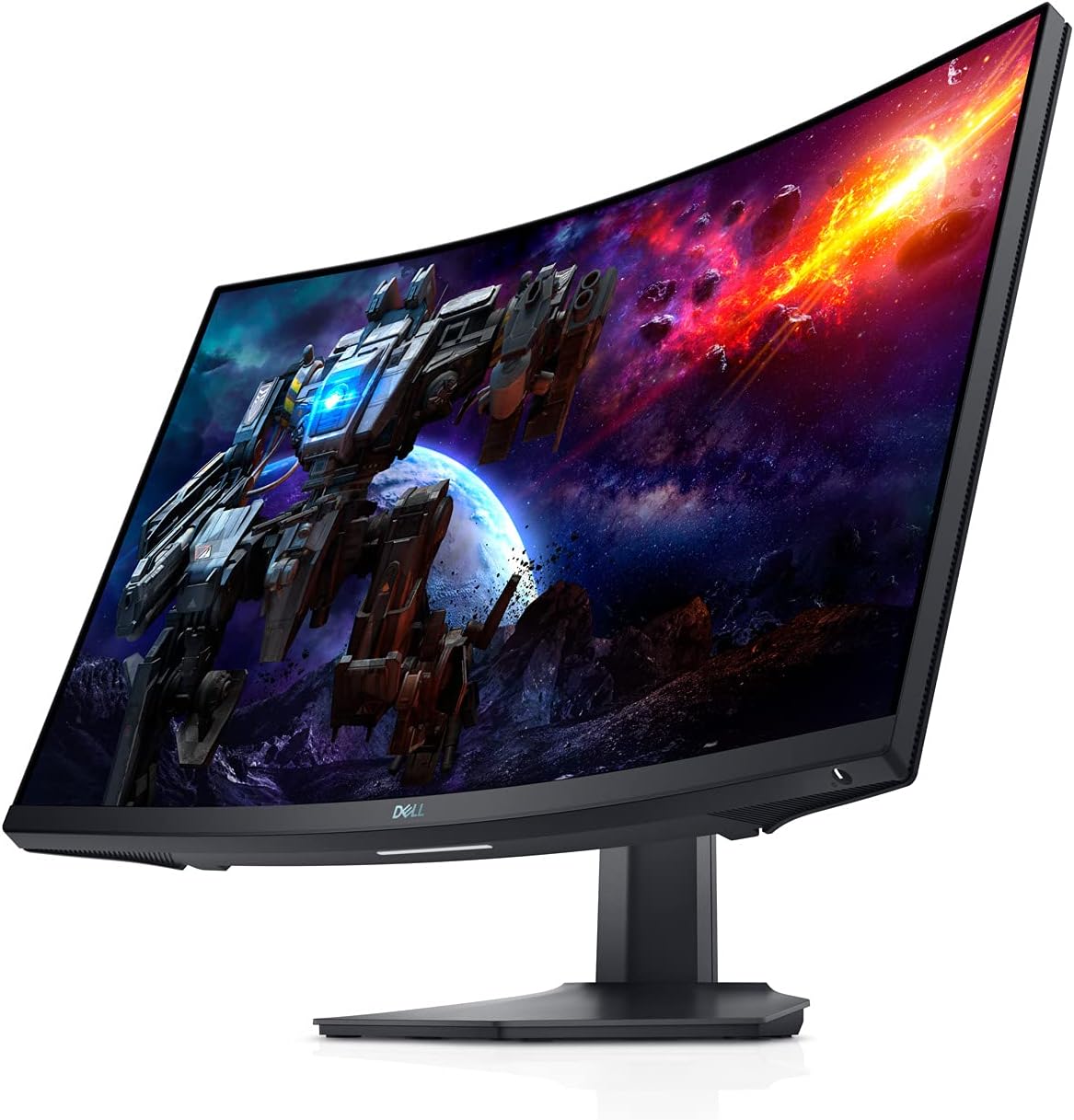
The Dell S2722DGM offers 165 Hz QHD VA curved gaming at $250 — the strongest value gaming monitor in this comparison. The VA panel's approximately 3,000:1 contrast ratio produces notably deeper blacks in dark scenes compared to IPS panels at this price point. The 1500R curvature reduces perceived edge distortion at 27 inches. AMD FreeSync Premium support eliminates tearing on AMD GPUs; G-Sync compatibility for NVIDIA requires testing on individual units. The honest limitations: VA dark-level smearing causes trailing on fast dark objects against dark backgrounds — visible during rapid camera movement in dark game environments. The HDMI 2.0 connectivity limits console gaming to 1080p 120 Hz or QHD 60 Hz; 4K and high-refresh console output require HDMI 2.1. DisplayHDR 400 compliance does not represent meaningful HDR performance improvement over SDR.
Pros
- ✓$250 for 165 Hz QHD curved VA — strongest value in this comparison
- ✓VA panel ~3,000:1 contrast ratio for deeper dark scenes
- ✓1500R curvature reduces edge distortion at 27 inches
- ✓AMD FreeSync Premium for tear-free gaming on AMD GPUs
Cons
- ✗VA dark-level smearing visible in fast dark scenes
- ✗HDMI 2.0 only — limits console high-refresh output
- ✗DisplayHDR 400 provides no meaningful HDR improvement
Score breakdown
| Panel type | VA (curved 1500R) |
| Refresh rate | 165 Hz |
| Response time | 1 ms MPRT |
| Resolution | 2560×1440 (QHD) |
| HDR | DisplayHDR 400 |
| Connectivity | HDMI 2.0 × 2, DP 1.2 × 1 |

ASUS ROG Swift PG27AQDM
Enable ASUS's built-in pixel refresh routine to mitigate OLED burn-in risk from static HUD elements.
The ASUS ROG Swift PG27AQDM's QD-OLED panel delivers gaming performance specifications that IPS and VA panels cannot approach — 0.03 ms GtG response, 240 Hz refresh, infinite contrast ratio, and DisplayHDR True Black 400 certification. In fast-motion gaming, the near-zero pixel response eliminates motion blur artifacts entirely. OLED's per-pixel lighting means dark scenes show detail that backlit panels cannot resolve at any brightness setting. QD-OLED's expanded color gamut makes game environments with saturated colors more vibrant. The burn-in risk is real for static HUD elements over years of heavy use — mitigated by ASUS's built-in pixel refresh routines and improved panel technology versus first-gen OLEDs. At $800, this is premium pricing for a QHD panel in an era where QHD 4K alternatives exist. Users for whom maximum gaming performance is the primary requirement will find the specification justified.
Pros
- ✓0.03 ms GtG response time — panel physics limit, not marketing
- ✓240 Hz refresh with infinite OLED contrast ratio
- ✓DisplayHDR True Black 400 for per-pixel black control
- ✓QD-OLED color gamut exceeds standard IPS by significant margin
Cons
- ✗Burn-in risk from static UI elements over years of daily use
- ✗$800 is premium pricing for a QHD resolution panel
- ✗Lower SDR peak brightness than high-brightness IPS monitors
Score breakdown
| Panel type | QD-OLED |
| Refresh rate | 240 Hz |
| Response time | 0.03 ms GtG |
| Resolution | 2560×1440 (QHD) |
| HDR | DisplayHDR True Black 400 |
| Connectivity | HDMI 2.0 × 2, DP 1.4 × 1 |

iiyama G-Master GB2770QSU (Japan)
Japan domestic market model — warranty service through iiyama Japan with Japanese language support.
The iiyama G-Master GB2770QSU offers competitive IPS QHD gaming specifications — 165 Hz, 0.5 ms MPRT, DisplayHDR 400, AMD FreeSync Premium — with strong Japanese retail distribution and domestic warranty support. The built-in USB hub adds desk utility. iiyama's Japanese retail presence in Yodobashi Camera, Bic Camera, and Joshin means in-person inspection before purchase is practical in major cities. It competes in the well-supplied QHD gaming monitor segment — the domestic availability and local support are the meaningful differentiators versus importing a foreign-market equivalent. The DisplayHDR 400 certification reflects the entry-level HDR tier without meaningful HDR imaging improvement. HDMI 2.0 connectivity limits console high-refresh output similar to the Dell S2722DGM.
Pros
- ✓165 Hz IPS QHD with Japanese domestic retail and warranty support
- ✓Built-in USB hub for peripheral connectivity through the monitor
- ✓Available at major Japanese retailers for in-store evaluation
- ✓0.5 ms MPRT response time for smooth gaming motion
Cons
- ✗HDMI 2.0 limits console high-refresh output
- ✗DisplayHDR 400 provides no meaningful HDR improvement
- ✗Limited international community reviews and comparisons
Score breakdown
| Panel type | IPS |
| Refresh rate | 165 Hz |
| Response time | 0.5 ms MPRT |
| Resolution | 2560×1440 (QHD) |
| HDR | DisplayHDR 400 |
| Connectivity | HDMI 2.0 × 2, DP 1.2 × 1 |
BenQ PD2705UA
Factory calibration report included in box — verify Delta E values match specification on receipt. Not recommended as a primary gaming monitor.
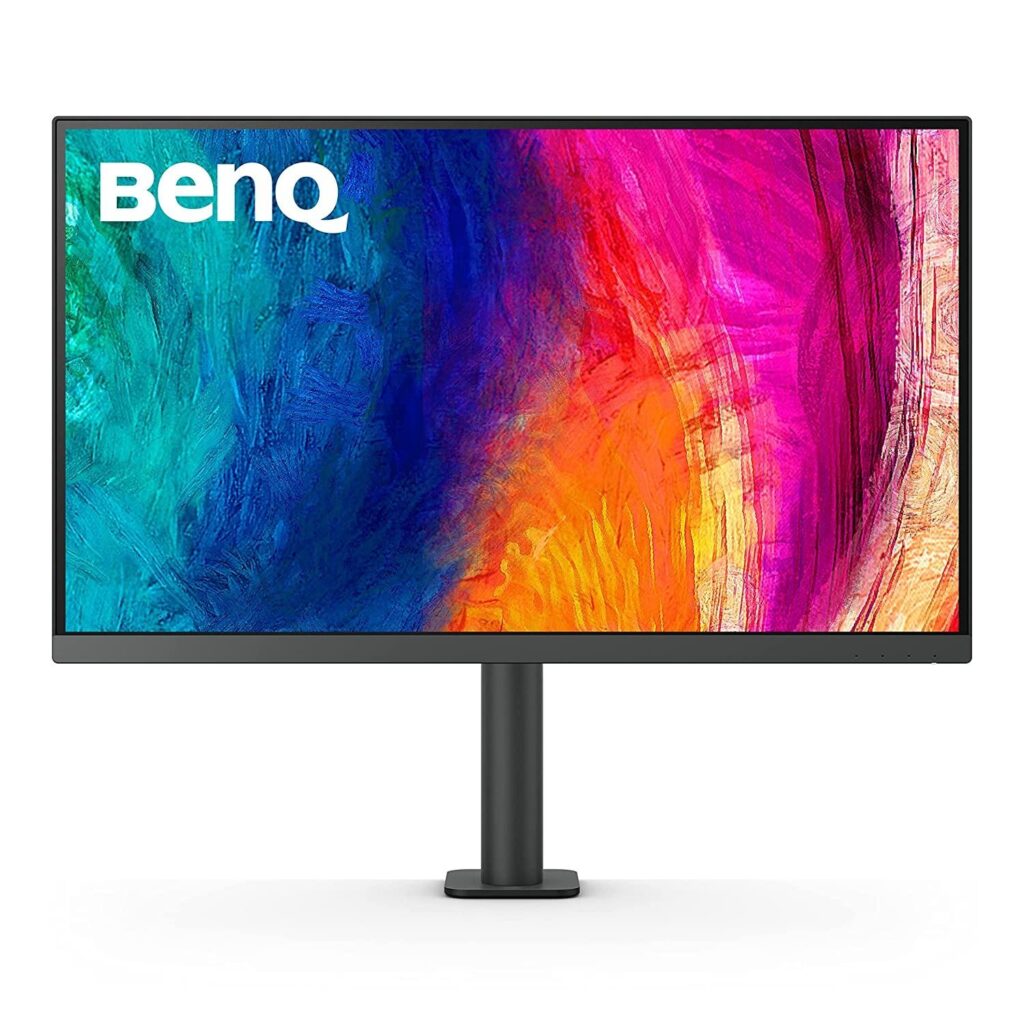
The BenQ PD2705UA is a professional creative monitor first and a gaming monitor second. AQCOLOR factory calibration means accurate color rendition out of the box — Delta E less than 2, 100% sRGB coverage verified at the factory. The 4K IPS panel at 27 inches produces sharp detail for photo editing, video color grading, and design work. USB-C 96W power delivery charges most laptops through a single cable, and Thunderbolt 4 support allows daisy-chaining additional peripherals. At 60 Hz, gaming motion clarity is not competitive with any other monitor in this comparison — in fast-paced games, 60 Hz introduces visible motion blur that 144+ Hz panels eliminate. The DisplayHDR 400 certification is appropriate for color accuracy work but not HDR gaming. At $479, the value proposition is professional accuracy and laptop integration, not gaming.
Pros
- ✓AQCOLOR factory calibration (Delta E < 2, 100% sRGB verified)
- ✓USB-C 96W power delivery for single-cable laptop connections
- ✓Thunderbolt 4 daisy-chaining for peripheral hub use
- ✓4K IPS sharpness for detailed creative and editing work
Cons
- ✗60 Hz is not competitive for gaming — visible motion blur vs 144+ Hz
- ✗No high-refresh rate option for gaming use cases
Score breakdown
| Panel type | IPS |
| Refresh rate | 60 Hz |
| Response time | 5 ms GtG |
| Resolution | 3840×2160 (4K UHD) |
| HDR | DisplayHDR 400 |
| Connectivity | USB-C 96W, Thunderbolt 4, HDMI 2.0 × 2 |
Which one is right for you?
For 4K gaming with HDMI 2.1 for PS5 and current-gen GPU output
LG 27GP950-B UltraGear
Nano IPS at 160 Hz with HDMI 2.1 and G-Sync Compatible handles 4K gaming from both PC and PS5 without adapter limitations.
For high-refresh QHD gaming on a budget under $300
Dell S2722DGM
VA curved panel at 165 Hz QHD for $250 delivers the best value refresh rate and resolution combination in this comparison.
For the fastest possible response time and perfect blacks in a QHD panel
ASUS ROG Swift PG27AQDM
QD-OLED at 240 Hz with 0.03 ms GtG and infinite contrast ratio are specifications no IPS or VA panel matches.
For Japanese domestic users wanting IPS QHD with local warranty support
iiyama G-Master GB2770QSU (Japan)
iiyama's G-Master series has strong Japanese retail presence and domestic support with competitive IPS QHD specifications.
For creative professionals who need factory-calibrated 4K with USB-C power delivery
BenQ PD2705UA
AQCOLOR factory calibration, 4K IPS, and 96W USB-C power delivery in one monitor serve laptop-based creative workflows.
How we compared
We did not conduct independent panel measurements using colorimeters, spectrophotometers, or motion blur capture equipment. Valid monitor testing requires calibrated measurement hardware, standardized test pattern sources, and multiple unit samples to account for panel variance — none of which we reproduce here. What we reviewed: manufacturer-published panel specifications, VESA DisplayHDR certification tier requirements, published measurements from hardware review publications with documented test methodology, and long-term user reports focused on backlight uniformity issues, panel lottery variance, and response time artifacts.
A framing note before the products: this comparison deliberately includes monitors from different use-case categories. The LG 27GP950-B and ASUS ROG Swift PG27AQDM are gaming monitors. The Dell S2722DGM is a budget gaming monitor. The iiyama G-Master is a Japanese domestic gaming monitor. The BenQ PD2705UA is a professional creative monitor with gaming-adjacent specifications. Comparing them as a single ranked list obscures the intended user for each product.
Panel technology — IPS vs VA vs QD-OLED
IPS (In-Plane Switching) panels offer accurate color reproduction, wide viewing angles (colors and contrast are consistent when viewed off-center), and good response times that have improved dramatically in recent generations. IPS panels cannot produce true blacks — they have a minimum backlight level that causes a 'glow' in dark scenes visible in low-light environments. The LG 27GP950-B uses Nano IPS — IPS with quantum dot color filter enhancement that extends the color gamut toward DCI-P3. iiyama's G-Master and BenQ PD2705UA also use standard IPS panels. IPS is the most versatile panel technology for mixed gaming and productivity use.
VA (Vertical Alignment) panels produce deeper blacks than IPS because the liquid crystals align vertically when unpowered, blocking more backlight. The Dell S2722DGM's VA panel has a notably higher contrast ratio (around 3,000:1) compared to IPS (typically 1,000:1) — dark scenes in games look more dramatic. The tradeoff: VA panels have slower pixel response time especially at low gray levels (the 'dark level smearing' problem) and more viewing angle color shift than IPS. The Dell S2722DGM's 165 Hz VA panel mitigates the response time issue at high refresh rates but does not eliminate dark-level smearing entirely.
QD-OLED — used in the ASUS ROG Swift PG27AQDM — combines a self-emissive OLED panel with quantum dot color filters. Self-emissive means each pixel generates its own light and can turn off completely, achieving true infinite contrast ratio and true blacks. The 0.03 ms GtG response time is a consequence of OLED physics — there is no liquid crystal alignment delay, only the response time of the organic emitter itself. QD-OLED also covers a wider color gamut (over 150% sRGB, approaching DCI-P3 fully) than standard IPS or VA panels. The tradeoffs: OLED burn-in risk from static UI elements (taskbars, health bars, crosshairs) over years of use, and lower peak brightness in SDR mode compared to high-brightness IPS panels.
Refresh rate reality — 160 Hz vs 165 Hz vs 240 Hz
Refresh rate describes how many times per second the monitor updates its image. At 60 Hz, the image updates every 16.7 ms. At 165 Hz, every 6.06 ms. At 240 Hz, every 4.17 ms. The perceptual improvement from 60 Hz to 144/165 Hz is significant and visible to almost all users in fast-motion content. The improvement from 165 Hz to 240 Hz is smaller and requires a high frame rate source — if your GPU outputs 165 fps, the 240 Hz monitor still shows 165 images per second. The additional 75 Hz headroom only matters if your PC can consistently produce 200+ fps at your resolution.
At 4K resolution (3840x2160), producing 165+ fps requires current-generation high-end GPUs — RTX 4080 or RX 7900 XTX class hardware in demanding titles. At QHD (2560x1440), 165 fps is achievable with mid-range hardware in many titles. The LG 27GP950-B at 160 Hz 4K requires premium GPU investment to use the refresh rate fully. The Dell S2722DGM at 165 Hz QHD is more accessible for a wider range of GPU budgets.
Overclock mode refresh rates — the 160 Hz figure for the LG 27GP950-B (base is 144 Hz) — are supported but may exhibit slightly reduced image stability or response time compared to the rated non-OC frequency. VESA adaptive sync (FreeSync, G-Sync Compatible) allows the monitor to match the GPU output rate dynamically, eliminating tearing even when frame rates drop below the monitor's maximum — this matters more than the maximum refresh rate for users whose GPU does not consistently reach the peak rate.
HDR tiers — what DisplayHDR 400, 600, and True Black 400 mean
VESA DisplayHDR certification defines minimum performance requirements at different brightness and contrast tiers. DisplayHDR 400 requires a minimum peak brightness of 400 nits — this is the entry-level tier and does not require local dimming or wide color gamut. Many monitors claim DisplayHDR 400 compliance without meaningful HDR image improvement over standard SDR content. The Dell S2722DGM and iiyama G-Master at DisplayHDR 400 are honest specifications that should not be interpreted as premium HDR performance.
DisplayHDR 600 — achieved by the LG 27GP950-B — requires 600 nit peak brightness and local dimming. This is a meaningful step up from 400 that produces noticeably brighter highlights in HDR content and better dark-scene detail. The BenQ PD2705UA's DisplayHDR 400 is appropriate for its professional calibration focus — it is not positioned as a high-brightness gaming monitor.
DisplayHDR True Black 400 — the certification of the ASUS ROG Swift PG27AQDM — is specifically for OLED panels. It requires a peak brightness of 400 nits but also requires a black level of 0.0005 nits or lower, reflecting OLED's ability to turn individual pixels completely off. The result is a contrast ratio measured in millions to one rather than the thousands-to-one of IPS or VA. For HDR gaming where contrast between bright highlights and dark shadows is the defining visual quality, OLED True Black is a categorically different experience from backlit panel HDR.
Resolution and pixel density at 27 inches
At 27 inches diagonal, the pixel density difference between QHD (2560x1440, approximately 109 PPI) and 4K (3840x2160, approximately 163 PPI) is visible at normal viewing distances of 50–80 cm. 4K at 27 inches produces noticeably sharper text and fine detail than QHD at the same screen size, particularly for small-text reading in code editors, browsers, and spreadsheets. For gaming, the sharpness difference is real in detailed environments but requires rendering four times as many pixels as 1080p — demanding more from the GPU.
The GPU cost of 4K versus QHD at the same refresh rate is substantial. Rendering the same game at 4K 144 Hz requires roughly 3x the GPU performance of QHD 144 Hz. Users with mid-range GPU budgets will typically get better gaming performance from a high-refresh-rate QHD monitor than from a 4K monitor running at reduced frame rates. The LG 27GP950-B's 4K is targeted at users who have the GPU to support it.
The BenQ PD2705UA's 4K at 60 Hz is designed for the professional creative use case — accurate color rendition, sharpness for photo and video work, and AQCOLOR factory calibration — not gaming. At 60 Hz, motion clarity in games is not competitive with 144+ Hz gaming monitors. The factory calibration and USB-C 96W power delivery are the differentiated features, not gaming performance.
Where each fits
4K gaming at 160 Hz with HDMI 2.1 for current-gen consoles and PC: LG 27GP950-B. The combination of 4K, Nano IPS, 160 Hz OC, HDMI 2.1, and G-Sync Compatible covers both PC and PS5 gaming in one panel. DisplayHDR 600 with local dimming provides meaningful HDR performance. At $650, it occupies the premium gaming monitor segment — the GPU investment to drive it at 4K 160 Hz is substantial. IPS glow is present in dark room conditions, as with all IPS panels. The overclock from 144 Hz to 160 Hz is supported but at base it is a 144 Hz panel.
High-refresh gaming at QHD resolution under $300: Dell S2722DGM. At $250 for a 165 Hz QHD curved VA panel, the S2722DGM is the value pick in this comparison. The VA panel's higher contrast ratio (approximately 3,000:1) produces better dark scenes than IPS alternatives at this price. The curved 1500R curvature reduces the perceived edge distortion at 27 inches. Limitations: VA dark-level smearing is real at lower gray levels — fast dark objects against dark backgrounds can show trailing. No HDR400 provides meaningful HDR improvement. Response time with overdrive enabled helps but does not fully eliminate VA smearing.
Maximum gaming performance with QD-OLED panel technology: ASUS ROG Swift PG27AQDM. The 0.03 ms GtG response time, 240 Hz refresh, and infinite OLED contrast ratio are technical performance specifications that no IPS or VA panel in this comparison matches. QD-OLED also covers a wider color gamut than standard panels, making game environments with vibrant color look more saturated. The burn-in risk from static UI elements is real over years of use — ASUS includes a pixel refresh routine, and modern OLED panels have improved burn-in resistance over first-generation OLEDs. At $800 it is the most expensive gaming monitor here. QHD resolution at this price point is reasonable for 240 Hz gaming GPU demands.
Japanese domestic IPS QHD gaming with built-in USB hub and local support: iiyama G-Master GB2770QSU. iiyama has strong retail presence in Japan through Yodobashi Camera, Bic Camera, and Joshin, with Japanese-language warranty support and domestic returns handling. The 165 Hz IPS QHD specification is competitive in the mid-range gaming monitor segment. The built-in USB hub adds desk utility for connecting peripherals through the monitor. It competes in a well-supplied QHD gaming monitor segment — the Japan market availability and domestic support are the differentiating factors.
Professional creative work with factory-calibrated 4K and USB-C laptop integration: BenQ PD2705UA. AQCOLOR factory calibration means accurate color out of the box without post-purchase calibration hardware. USB-C 96W power delivery charges most laptops through the single monitor cable. Thunderbolt 4 daisy-chaining allows connecting additional peripherals through the monitor hub. At 60 Hz, gaming performance is not competitive — this is a productivity and creative monitor that can run games, not a gaming monitor that can run creative applications. The $479 price is appropriate for the professional calibration and USB-C capability.