Best Portable Monitors 2026: ASUS vs espresso vs Lepow
A second screen turns a cramped laptop into a real workstation anywhere — a hotel desk, a coffee shop, the kitchen table. The catch is that most portable monitors are dim, flimsy, and need two cables. Knowing which corners a model cuts is the whole game.
We compared each portable monitor on panel quality and brightness, single-cable USB-C power compatibility, weight and build, stand and input flexibility, touch and refresh-rate features, and price-to-performance. Specifications were checked against independent reviews and owner reports, prioritising real-world usability over headline numbers.

Asus Zenscreen Mb16ahg
Best Overall: The ASUS ZenScreen MB16AHG is the best all-round portable monitor because it gets the fundamentals right: a 15.6-inch 1080p IPS panel running at 144 Hz, powered and driven by a single USB-C cable from a modern laptop. It's bright enough for indoor and shaded outdoor work, fast enough to double as a portable gaming display, and ships with a foldable smart cover that stands it at multiple angles plus a tripod mount for creators.
Top picks ↓Top picks
Related articles


Asus Zenscreen Mb16ahg
The best all-round pick — a 15.6-inch 1080p 144 Hz IPS panel with single-cable USB-C power, a smart-cover stand, tripod mount, and mini-HDMI fallback. Bright, fast, and versatile enough for both work and portable gaming.
The ASUS ZenScreen MB16AHG is the best all-round portable monitor because it gets the fundamentals right: a 15.6-inch 1080p IPS panel running at 144 Hz, powered and driven by a single USB-C cable from a modern laptop. It's bright enough for indoor and shaded outdoor work, fast enough to double as a portable gaming display, and ships with a foldable smart cover that stands it at multiple angles plus a tripod mount for creators. A mini-HDMI input and a second USB-C port cover devices that can't output video or enough power over one port. It's a touch heavier than the thinnest budget panels and the speakers are weak, but for one monitor that simply works, it's the safe, versatile choice.
Pros
- ✓144 Hz panel — productivity and portable gaming
- ✓Single-cable USB-C power from a modern laptop
- ✓Smart-cover stand, tripod mount, mini-HDMI fallback
- ✓Bright enough for indoor and shaded outdoor use
Cons
- ✗Heavier than the thinnest budget panels
- ✗Built-in speakers are an afterthought
| Screen size | 15.6 in |
| Resolution | 1920 x 1080 (FHD) |
| Panel | IPS |
| Refresh rate | 144 Hz |
| Ports | 2 x USB-C (DP Alt Mode), 1 x Mini HDMI, 3.5 mm earphone jack |
| Touchscreen | No |
| Item weight | 0.92 kg |

Espresso Display 15 Pro
The premium MacBook companion — a ~5.3 mm aluminium glass touchscreen with pen support and espressoFlow software that adds extend/mirror and ink on macOS. Stunning build, but $600–$700 with accessories for the same 1080p resolution.
The espresso Display 15 Pro is the premium pick for the Apple ecosystem — an extraordinarily thin (~5.3 mm) aluminium glass touchscreen that matches a MacBook on a desk. Its espressoFlow software adds proper extend/mirror controls and even pen input on macOS, which Apple doesn't natively provide for third-party displays, and the magnetic stand and case are genuinely well-designed. It charges and drives over a single USB-C cable. The catch is value: with the stand and pen it runs $600–$700 for the same 1080p resolution a $100 Lepow shows. You're paying for industrial design, touch/pen software, and thinness — all real, none of which sharpen the image. Buy it if those qualities matter; otherwise it's an overpay.
Pros
- ✓Stunning ~5.3 mm aluminium build that matches a MacBook
- ✓Glass touchscreen with pen support on macOS
- ✓espressoFlow software adds real display controls
- ✓Excellent magnetic stand and case system
Cons
- ✗$600–$700 with accessories for 1080p
- ✗Glossy glass is reflective
| Screen size | 15.6 in |
| Resolution | 3840 x 2160 (4K) |
| Panel | IPS |
| Refresh rate | 60 Hz |
| Ports | 2 x USB-C |
| Touchscreen | Yes |
| Item weight | 800 g |

Lepow C2s 15 6
The value benchmark at around $90–$120 — a 1080p IPS panel with dual USB-C, mini-HDMI, and a magnetic cover stand. Dimmer and plainer than the ASUS, but a perfectly good, low-risk travel second screen.
The Lepow C2S 15.6-inch is the value benchmark at around $90–$120 — a 1080p IPS panel with two USB-C ports, mini-HDMI, a magnetic smart cover that props it up, and single-cable USB-C operation when your laptop can power it. It's dimmer than the ASUS and the plastic build is plain, but the image is genuinely good for spreadsheets, code, and video, and at this price it's the obvious choice for a travel or work-from-anywhere second screen you won't worry about in a bag. Set brightness expectations for indoor use and it's hard to beat for the money.
Pros
- ✓Around $90–$120 — the price-to-performance leader
- ✓1080p IPS with dual USB-C and mini-HDMI
- ✓Magnetic cover stand, single-cable capable
- ✓Low-risk panel for travel
Cons
- ✗Lower brightness — washes out near windows
- ✗Plain plastic build and weak speakers
| Screen size | 15.6 in |
| Resolution | 1920 x 1080 (FHD) |
| Panel | IPS |
| Refresh rate | 60 Hz |
| Ports | 1 x USB-C (full function), 1 x USB-C (power), 1 x Mini HDMI, 1 x Mini DP, 3.5 mm headphone jack |
| Touchscreen | No |
| Item weight | 746 g |

Viewsonic Td1655
The budget touchscreen pick — a 15.6-inch 1080p 10-point capacitive touch panel with a folding stand and bundled stylus, at roughly a third of the espresso's price. Ideal for point-of-sale, kiosk, and presentation use.
The ViewSonic TD1655 is the pick when you want touch without paying espresso money — a 15.6-inch 1080p 10-point capacitive touchscreen with a built-in folding stand, dual USB-C, mini-HDMI, and a passive stylus in the box. Touch is genuinely useful for point-of-sale, signature capture, kiosks, and annotated presentations, and the TD1655 delivers it at roughly a third of the espresso's cost. It carries the usual budget caveats — modest brightness, mediocre speakers, plastic build — and it's no gaming panel, but for a cheap, capable touchscreen it's the rational choice.
Pros
- ✓10-point capacitive touch with bundled stylus
- ✓Built-in folding stand, no separate cover needed
- ✓Dual USB-C and mini-HDMI inputs
- ✓A third of the price of premium touch displays
Cons
- ✗Modest brightness and plastic build
- ✗Not a high-refresh gaming panel
| Screen size | 15.6 in |
| Resolution | 1920 x 1080 (FHD) |
| Panel | IPS |
| Refresh rate | 60 Hz |
| Ports | 1 x USB-C (video/audio), 1 x USB-C (60 W power), 1 x Mini HDMI |
| Touchscreen | Yes (10-point projected capacitive) |
| Item weight | 0.9 kg (2 lb) |
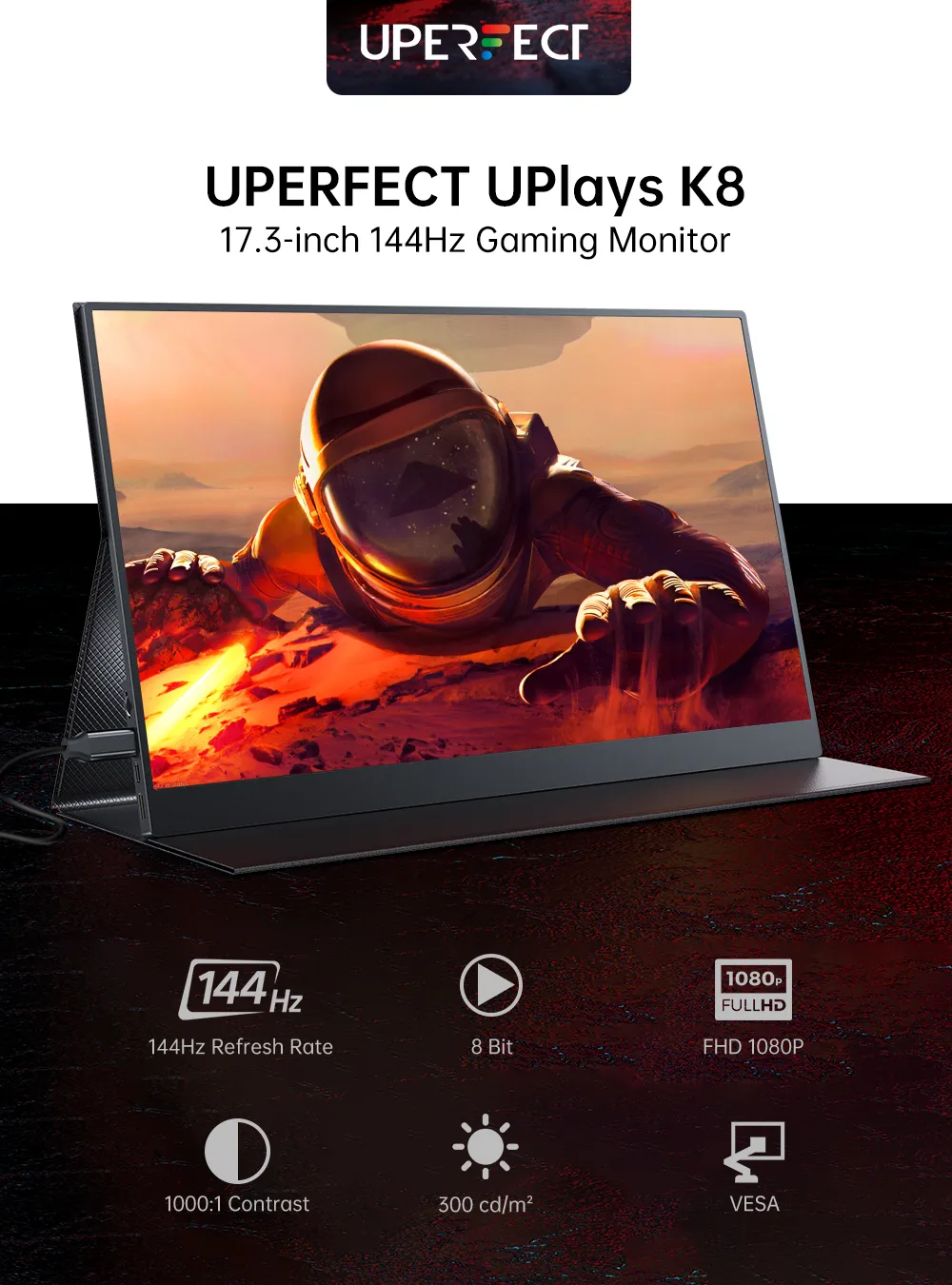
UPERFECT X Pro (4K Lapdock)
A feature-packed value alternative with a built-in adjustable kickstand (no separate cover needed), dual USB-C, and HDMI. The integrated stand is its standout convenience; panel brightness and color are typical budget-tier.
The UPERFECT UPlays X Pro is a feature-packed value alternative whose standout is a built-in adjustable kickstand — you tilt it to any angle without fishing out a magnetic cover, which is more convenient day-to-day than it sounds. It's a 15.6-inch 1080p panel with dual USB-C and full-size HDMI, single-cable capable from a powered laptop. Brightness and color are typical of the budget tier rather than class-leading, and the build is functional plastic, but the integrated stand and generous port selection make it an easy, fuss-free second screen for a desk or travel bag.
Pros
- ✓Integrated adjustable kickstand — no separate cover
- ✓Dual USB-C plus full-size HDMI
- ✓Single-cable capable from a powered laptop
- ✓Strong feature set for the price
Cons
- ✗Budget-tier brightness and color
- ✗Functional but unremarkable build
| Screen size | 15.6 in |
| Resolution | 3840 x 2160 (4K) |
| Panel | IPS |
| Refresh rate | 60 Hz |
| Ports | 2 x USB-C (1 Thunderbolt 3/USB 3.1, 1 power), 1 x Mini HDMI, 3.5 mm audio jack, microSD card slot |
| Touchscreen | Yes (10-point capacitive) |
| Item weight | 1.412 kg |
Which one is right for you?
For one monitor that just works
Asus Zenscreen Mb16ahg
Single-cable USB-C power, a 144 Hz panel bright enough for work and gaming, and a smart-cover stand make it the most versatile, low-hassle choice for most laptops.
For MacBook users who care about design
Espresso Display 15 Pro
A ~5.3 mm aluminium glass touchscreen with pen support and espressoFlow software feels like Apple made it — worth the premium if fit, finish, and touch matter to you.
For the cheapest reliable second screen
Lepow C2s 15 6
At around $90–$120 it delivers a perfectly good 1080p IPS image with single-cable USB-C and a cover stand — the low-risk pick for travel and work-from-anywhere.
For touch on a budget
Viewsonic Td1655
A 1080p capacitive touchscreen with a built-in stand and bundled stylus delivers point-of-sale, kiosk, and presentation touch at a third of the premium price.
For fuss-free angle adjustment
UPERFECT X Pro (4K Lapdock)
The built-in adjustable kickstand and generous USB-C plus HDMI ports make it the most convenient grab-and-go panel where a cover-stand is a hassle.
Top pick: ASUS ZenScreen MB16AHG
The ASUS ZenScreen MB16AHG is the best all-round portable monitor because it solves the two things cheap panels get wrong: it runs at a 144 Hz refresh rate and it powers from a single USB-C cable. The 15.6-inch 1080p IPS panel is bright enough for indoor and shaded outdoor use, the 144 Hz refresh makes it usable as a portable gaming display as well as a productivity screen, and a single USB-C cable carrying both video and power means you plug one wire into a modern laptop and you're working.
ASUS includes the details that matter for travel: a foldable smart cover that doubles as a stand at multiple angles, a built-in kickstand-free design, and a tripod mount on the back for creators. It also has a mini-HDMI input for devices without USB-C video output, plus a second USB-C port so you can power it externally when driving it from a phone or a console that can't supply enough power over its own port.
The honest weaknesses: at around 1080p it is sharp but not Retina-class, the speakers are an afterthought (use headphones), and it weighs a little more than the thinnest budget panels because of the sturdier build. For most people who want one portable monitor that just works — single cable, bright enough, fast enough — the ZenScreen MB16AHG is the safe, versatile choice.
Best for MacBook users: espresso Display 15 Pro
The espresso Display 15 Pro is the premium pick and the one to buy if you live in the Apple ecosystem and care how the thing looks and feels. It is extraordinarily thin (around 5.3 mm) and built from aluminium, so it matches a MacBook on a desk rather than looking like a cheap accessory. The 15.6-inch 1080p panel is a glass touchscreen, and espresso's software (espressoFlow) adds proper extend/mirror controls and even pen input on macOS, which Apple's own Sidecar and the OS don't natively provide for a third-party display.
It charges and drives over a single USB-C cable, and the magnetic Stand and Mount accessories are genuinely good — the magnetic stand holds the display at a wide range of angles and the case is part of the system rather than an afterthought. For a creative professional who wants a touch-and-pen second screen that feels like Apple designed it, nothing else here comes close on fit and finish.
The catch is price and value. With the stand and pen, an espresso setup runs toward $600–$700, several times the cost of a Lepow that shows the same 1080p. You are paying for industrial design, the touch/pen software, and the thinness — all real, none of which improve raw image sharpness. Buy it if those things matter to you; if you just need pixels, you are overpaying.
Best value and the touch option: Lepow C2S and ViewSonic TD1655
The Lepow C2S 15.6-inch is the value benchmark at around $90–$120. It is a 1080p IPS panel with two USB-C ports and a mini-HDMI input, a magnetic smart cover that props it up, and single-cable USB-C operation from a laptop that can supply enough power. It is dimmer than the ASUS and the build is plainer plastic, but the image is perfectly good for spreadsheets, code, and video, and at this price it is the obvious choice for a travel or work-from-anywhere second screen where you don't want to risk an expensive panel in a bag.
The ViewSonic TD1655 is the pick when you specifically want touch on a budget. It is a 15.6-inch 1080p 10-point capacitive touchscreen with a built-in folding stand, two USB-C ports, mini-HDMI, and a passive stylus in the box. Touch on a portable monitor is genuinely useful for point-of-sale, signature capture, kiosk and presentation use, and tablet-style scrolling, and the TD1655 delivers it at roughly a third of the espresso's price — without the Apple-ecosystem polish, but with the same core touch capability.
Both share the budget-panel caveats: lower peak brightness than the ASUS, mediocre speakers, and plastic builds that feel their price. Neither is a 144 Hz gaming screen. But for the specific jobs of 'cheap reliable second screen' (Lepow) and 'cheap touchscreen' (ViewSonic), they are the rational picks.
How to choose: the single-cable test, brightness, and weight
Start with the single-cable question because it dictates your daily experience. A portable monitor that takes video and power over one USB-C cable is effortless — but only if your laptop's USB-C port outputs video (DisplayPort Alt Mode) and enough power. Many laptops and most game consoles do not supply enough power over their port to drive a monitor, so you'll need the monitor's second USB-C port connected to a charger. Every model here has that fallback; confirm your source device's port before assuming one-cable bliss.
Brightness determines where you can actually use it. Budget panels (Lepow, ViewSonic) sit around 220–250 nits — fine indoors, washed out near a window or outdoors. The ASUS is brighter and the espresso's glass is reflective but bright. If you'll work in cafés or by windows, prioritise a brighter panel; if it lives on an indoor desk, the budget brightness is fine and you'd be paying for nits you won't use.
Weigh resolution and refresh against weight and price. All five here are 1080p, which is sharp at 15.6 inches from normal viewing distance — 4K portable monitors exist but cost far more and drain laptop batteries faster. A 144 Hz panel (ASUS) only matters if you'll game or value smoother scrolling; for documents it's invisible. And a few hundred grams matters in a daily backpack: the espresso is the thinnest, the budget panels are light, and the gaming-capable ASUS is the heaviest of the group.
