Best Wi-Fi Routers 2026: ASUS vs TP-Link vs Netgear
Your internet plan says 1 Gbps but your bedroom gets a quarter of that and video calls stutter. Nine times out of ten the bottleneck is the router your ISP handed you, not your plan. The fix is rarely the most expensive box — it's the right box for your home's size and device count.
We compared each router on real-world speed and range, band configuration (dual vs tri-band, Wi-Fi 6 vs 6E), WAN/LAN port speeds, mesh expandability, included versus subscription-gated security and parental controls, and total cost of ownership. Specifications were checked against independent throughput testing and long-term owner reports.

Asus Rt Ax88u Pro
Best Overall: The ASUS RT-AX88U Pro is the best router for most homes — a dual-band AX6000 Wi-Fi 6 unit with a 2.5 Gbps WAN/LAN port for multi-gig plans and eight gigabit LAN ports, more wired connectivity than almost anything in its class. The decisive advantage is software: AiProtection Pro network security and a full parental-control suite are included free for the life of the router, where rivals charge monthly.
Top picks ↓Top picks
Related articles

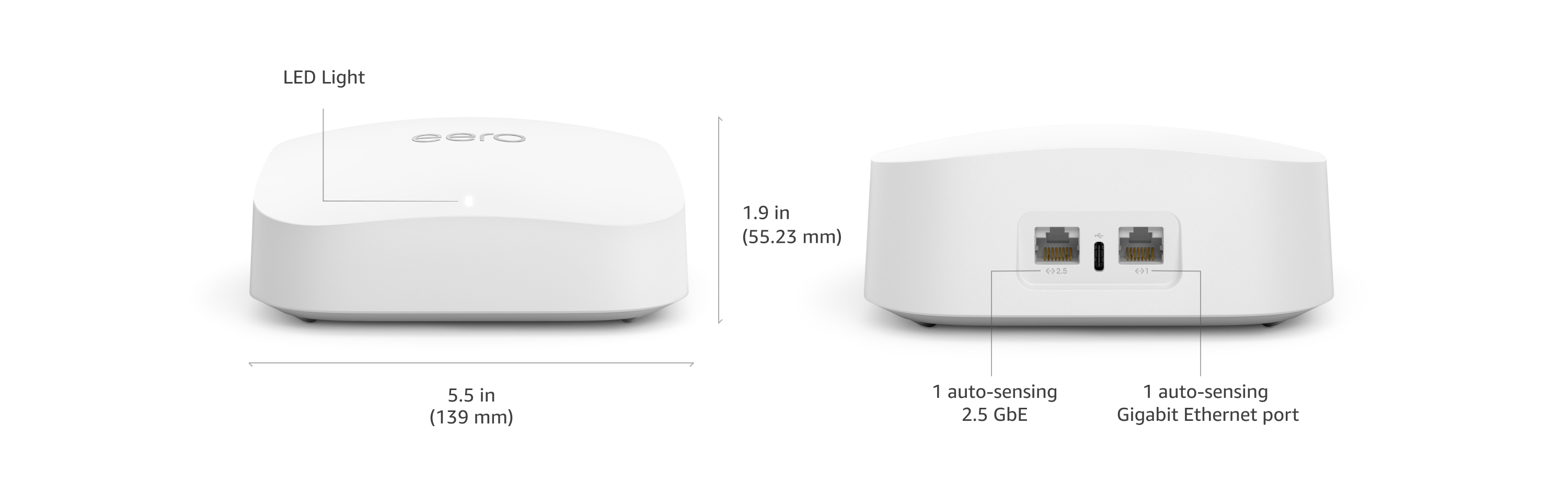

Asus Rt Ax88u Pro
The best all-round router — dual-band AX6000 Wi-Fi 6 with a 2.5 Gbps port, eight gigabit LAN ports, AiMesh, and subscription-free AiProtection Pro security and parental controls. Deep features at no recurring cost for a 2–4 bedroom home.
The ASUS RT-AX88U Pro is the best router for most homes — a dual-band AX6000 Wi-Fi 6 unit with a 2.5 Gbps WAN/LAN port for multi-gig plans and eight gigabit LAN ports, more wired connectivity than almost anything in its class. The decisive advantage is software: AiProtection Pro network security and a full parental-control suite are included free for the life of the router, where rivals charge monthly. AiMesh lets you add a node later to extend coverage, and the firmware exposes deep QoS, VPN, and per-device controls. It's dual-band rather than tri-band and the four-antenna design is bulky, but for a 2–4 bedroom home that wants speed, depth, and no subscriptions, it's the smart buy.
Pros
- ✓Eight gigabit LAN ports plus a 2.5 Gbps port
- ✓AiProtection Pro security and parental controls — free for life
- ✓AiMesh expandable and deep firmware controls
- ✓Strong dual-band Wi-Fi 6 performance
Cons
- ✗Dual-band — tri-band suits very device-dense homes better
- ✗Bulky four-antenna design
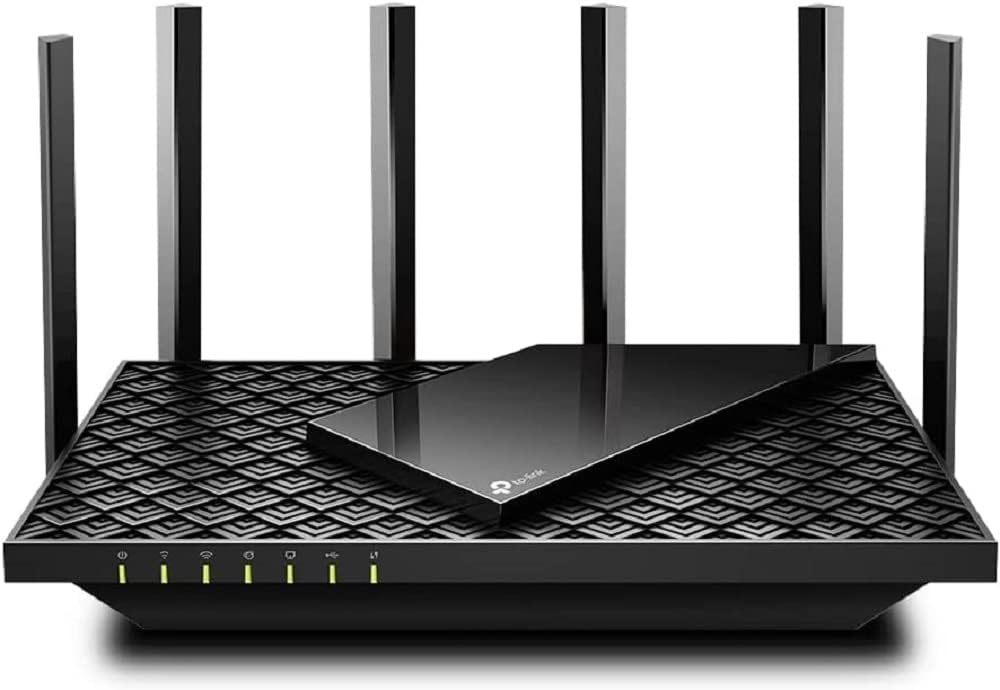
Tp Link Archer Ax73
The value sweet spot — dual-band AX5400 Wi-Fi 6 with good range, an easy Tether-app setup, and OneMesh support, for well under half a flagship's price. Gigabit WAN matches the most common plans; ideal for mainstream homes.
The TP-Link Archer AX73 is the value sweet spot — a dual-band AX5400 Wi-Fi 6 router that covers a typical home and handles a heavy device load for under half the flagship price. Six antennas give it good real-world range, the Tether app makes setup the friendliest here for non-technical buyers, and OneMesh lets you extend it later. It hits the modern essentials: Wi-Fi 6 efficiency, a gigabit WAN port that matches the common 1 Gbps plans, and app-based QoS and parental controls. It tops out at gigabit (no multi-gig port), some advanced HomeShield features are subscription-gated, and it's dual-band — but for a mainstream home on a normal plan, it delivers most of the flagship experience for far less.
Pros
- ✓Excellent range and speed for the price
- ✓Easiest setup via the Tether app
- ✓Wi-Fi 6 with a gigabit WAN for common plans
- ✓OneMesh expandable
Cons
- ✗Gigabit only — no multi-gig port
- ✗Best security and controls are partly subscription-gated

Netgear Nighthawk Rax70
A tri-band AX6600 router for device-dense homes — a dedicated third band keeps speeds up with 30-plus connected devices, and range is excellent. Budget for Netgear Armor and parental-control subscriptions on top of the hardware.
The Netgear Nighthawk RAX70 is a tri-band AX6600 Wi-Fi 6 router for device-dense homes. The third band gives the router a dedicated lane to spread connections across, keeping speeds up when 30-plus phones, TVs, cameras, and smart-home devices are all active — exactly where dual-band routers start to choke. Hardware quality and range are excellent. The catch is the business model: Netgear Armor security and Smart Parental Controls require a paid subscription after a trial, so the real cost is the hardware plus ongoing fees. Buy it for a large, busy household that wants tri-band headroom and is willing to pay for the premium features.
Pros
- ✓Tri-band keeps speeds up with 30+ devices
- ✓Excellent range and build quality
- ✓Strong Wi-Fi 6 throughput
- ✓Good for large, device-dense homes
Cons
- ✗Security and parental controls need a paid subscription
- ✗Overkill for small homes

Asus Rog Rapture Gt Axe11000
The no-compromise enthusiast and gaming router — tri-band Wi-Fi 6E with the 6 GHz band, gaming QoS, a dedicated gaming port, and subscription-free AiProtection and AiMesh. Overkill unless you own 6E devices and chase low latency.
The ASUS ROG Rapture GT-AXE11000 is the no-compromise enthusiast and gaming router — tri-band Wi-Fi 6E that adds the clean, uncongested 6 GHz band for the lowest latency and interference available to 6E-capable devices. It layers on gaming-specific QoS, a dedicated gaming port, mobile-game acceleration, and the same subscription-free AiProtection and AiMesh as the RT-AX88U Pro. It's priced like a flagship ($300–$400) and is genuine overkill for a small apartment, and the 6 GHz band only helps if you own 6E client devices. But for low-latency gaming, 6E hardware, and every advanced feature with no recurring fee, it's the top of the stack.
Pros
- ✓Tri-band Wi-Fi 6E with the 6 GHz band
- ✓Gaming QoS, dedicated gaming port, game acceleration
- ✓Subscription-free security and AiMesh
- ✓Top-tier hardware for enthusiasts
Cons
- ✗Expensive and overkill for small homes
- ✗6 GHz band only helps 6E-capable devices
Tp Link Archer Ax21
The budget Wi-Fi 6 entry at around $70 — dual-band AX1800 that brings Wi-Fi 6 efficiency and easy setup to small homes and apartments. Modest top speeds and range, but a huge upgrade over an ISP box for the price.
The TP-Link Archer AX21 is the budget Wi-Fi 6 entry at around $70 — a dual-band AX1800 router that brings Wi-Fi 6 efficiency and the easy Tether-app setup to small homes and apartments. Top speeds and range are modest and it won't blanket a large house, but as an upgrade over a cramped, aging ISP-supplied box it's a huge step up for very little money. For a studio, one-bedroom, or a household on a slower plan with a handful of devices, it's all the router you need at the lowest sensible price.
Pros
- ✓Around $70 — Wi-Fi 6 at a budget price
- ✓Easy Tether-app setup
- ✓Big upgrade over an ISP box
- ✓Right-sized for apartments and small homes
Cons
- ✗Modest top speeds and range
- ✗Not for large or device-dense homes
Which one is right for you?
For most homes wanting speed and no fees
Asus Rt Ax88u Pro
Strong dual-band Wi-Fi 6, a 2.5 Gbps port, eight LAN ports, and free-for-life security and parental controls make it the best all-round, future-proof choice for a 2–4 bedroom home.
For a mainstream home on a budget
Tp Link Archer Ax73
Good range, the easiest setup, and Wi-Fi 6 with a gigabit WAN deliver about 90% of the flagship experience for under half the price — the right fit for a normal home on a 1 Gbps plan.
For a large, device-dense household
Netgear Nighthawk Rax70
A tri-band design keeps speeds up when 30-plus devices are connected and the range is excellent — just budget for the security and parental-control subscriptions.
For low-latency gaming and 6E devices
Asus Rog Rapture Gt Axe11000
Tri-band Wi-Fi 6E with the 6 GHz band, gaming QoS, and every advanced feature subscription-free is the top pick if you own 6E hardware and chase the lowest latency.
For an apartment on a tight budget
Tp Link Archer Ax21
At around $70 it brings Wi-Fi 6 and easy setup to a small space — a big upgrade over an ISP box for a studio or one-bedroom with a handful of devices.
Top pick: ASUS RT-AX88U Pro
The ASUS RT-AX88U Pro is the best router for most homes because it pairs serious Wi-Fi 6 performance with the most generous software in the category — and ASUS charges nothing extra for it. It is a dual-band AX6000 router with a 2.5 Gbps WAN/LAN port (so it can keep up with multi-gig internet plans) and eight gigabit LAN ports on the back, which is more wired connectivity than almost any competitor offers. For a busy household with a NAS, a console, a desktop, and a smart-home hub all wanting Ethernet, that port count alone justifies the pick.
What sets ASUS apart is AiProtection Pro (commercial-grade network security from Trend Micro) and a full parental-control suite — both included for the life of the router with no subscription. Netgear and others paywall comparable features behind monthly fees. ASUS also supports AiMesh, so you can later add another ASUS router as a mesh node to extend coverage without throwing this one away, and the firmware exposes genuinely deep controls (QoS, VPN server and client, per-device settings) that enthusiasts value.
The honest weaknesses: it is dual-band, not tri-band, so for very large homes packed with dozens of devices a tri-band unit distributes load better, and the spider-like four-antenna design is not subtle on a shelf. But for a 2–4 bedroom home that wants strong speed, deep features, and zero subscription fees, the RT-AX88U Pro is the smart, future-proof buy.
Best value: TP-Link Archer AX73
The TP-Link Archer AX73 is the value sweet spot — a dual-band AX5400 Wi-Fi 6 router that covers a typical home and handles a heavy device load for well under half the price of the flagships. Six antennas and a decent processor give it genuinely good range for the money, OneMesh support lets you extend it with a compatible TP-Link node later, and the setup through the Tether app is the friendliest in this comparison for non-technical buyers.
It hits the modern essentials: Wi-Fi 6 (so newer phones and laptops connect more efficiently and the whole network stays responsive when many devices are active), a gigabit WAN port that matches the most common 1 Gbps fibre and cable plans, and basic parental controls and QoS in the app. For the large majority of households on a gigabit-or-slower plan in a normal-sized home, the AX73 delivers 90% of the flagship experience at a fraction of the cost.
The caveats are the things you pay more elsewhere to get: it tops out at gigabit (no 2.5 Gbps port for multi-gig plans), TP-Link's advanced HomeShield security and the best parental controls are partly subscription-gated, and it is dual-band rather than tri-band. None of that matters for the target buyer — a mainstream home on a normal plan — which is exactly why it is the value recommendation.
For gamers and big homes: Netgear Nighthawk RAX70 and ASUS ROG GT-AXE11000
The Netgear Nighthawk RAX70 (AX6600) is a tri-band Wi-Fi 6 router built for homes with a high device count. The third band gives the router a dedicated lane to spread devices across, which keeps speeds up when 30-plus phones, TVs, cameras, and smart-home gadgets are all connected — the scenario where dual-band routers start to bog down. Netgear's hardware and range are excellent. The cost is the business model: many of the most useful features (Netgear Armor security, Smart Parental Controls) require a paid subscription after a trial, so factor that into the total price.
The ASUS ROG Rapture GT-AXE11000 is the no-compromise enthusiast and gaming router. It is a tri-band Wi-Fi 6E unit, meaning it adds the 6 GHz band — a clean, uncongested spectrum lane that a Wi-Fi 6E phone, laptop, or VR headset can use for the lowest latency and least interference available, provided your devices support 6E. It layers on gaming-specific QoS, a dedicated gaming port, mobile-game acceleration, and the same subscription-free AiProtection and AiMesh as the RT-AX88U Pro.
Both are priced like flagships ($300–$400) and both are overkill for a small apartment with a dozen devices. Buy the RAX70 if you have a large, device-dense home and want tri-band headroom; buy the GT-AXE11000 if you have Wi-Fi 6E client devices, chase the lowest gaming latency, and want every advanced feature with no recurring fee. If neither of those describes you, you are paying for capability you won't use.
How to choose: speed tier, bands, coverage, and the subscription trap
Match the router's WAN port to your internet plan, not to the biggest number on the box. If you have a 1 Gbps or slower plan — most homes — a router with a gigabit WAN port (Archer AX73, RAX70) saturates it completely, and a 2.5 Gbps port (RT-AX88U Pro, GT-AXE11000) is future-proofing you won't use until you upgrade your plan. The AXxxxx 'speed' rating is a theoretical sum across bands that no single device ever reaches; ignore it as a comparison tool and look at the WAN port speed and band count instead.
Choose bands by device count and ceiling. Dual-band (RT-AX88U Pro, Archer AX73) is right for the typical home with up to roughly 20–25 active devices. Tri-band (RAX70, GT-AXE11000) adds a third lane that prevents congestion in device-dense homes — worth it past about 30 devices or in a house with heavy simultaneous 4K streaming and gaming. Wi-Fi 6E (GT-AXE11000) adds the 6 GHz band, but only your 6E-capable devices benefit; if nothing you own supports 6E, that band sits empty.
Decide between a single powerful router and a mesh — and watch for subscriptions. A single strong router covers a typical 1–2 floor home; for a large or multi-storey house, plan for mesh. Every router here (ASUS AiMesh, TP-Link OneMesh) can become the first node of a mesh later, so you don't have to commit upfront. Finally, read the fine print on fees: ASUS includes security and parental controls for free, while Netgear and TP-Link gate some of their best features behind monthly subscriptions — over a router's life that can quietly exceed the hardware cost.
