Best WiFi Extenders 2026: TP-Link vs Netgear vs ASUS
A WiFi extender is the cheapest fix for a dead zone — but it's a compromise, and the right choice depends on whether you want a quick cheap patch or a fast WiFi 6 extender that works as part of a mesh. Buy the wrong one and you'll get a slow, separate network you keep having to reconnect to.
We compared each extender on WiFi standard (WiFi 6 vs 5) and speed, coverage area, backhaul (dual vs dedicated tri-band), mesh compatibility (OneMesh/AiMesh seamless roaming), Ethernet ports, ease of setup, and price. Extenders were assessed against networking reviews and real-home use, weighting modern standards, seamless roaming, and value, and noting that a mesh system is often the better whole-home solution.

Tp Link Re315
Best Budget: The TP-Link RE315 (AC1200) is the budget pick — an inexpensive, reliable WiFi 5 extender that covers a dead zone cheaply, for patching a weak-signal area without spending much. It's a dual-band AC1200 WiFi 5 extender that extends coverage to a reasonable area, has an Ethernet port to hardwire a device, supports TP-Link OneMesh (so with a compatible router it can still do seamless roaming — unusual at this price), and sets up easily via the Tether app or WPS, all at a low price.
Top picks ↓Related articles
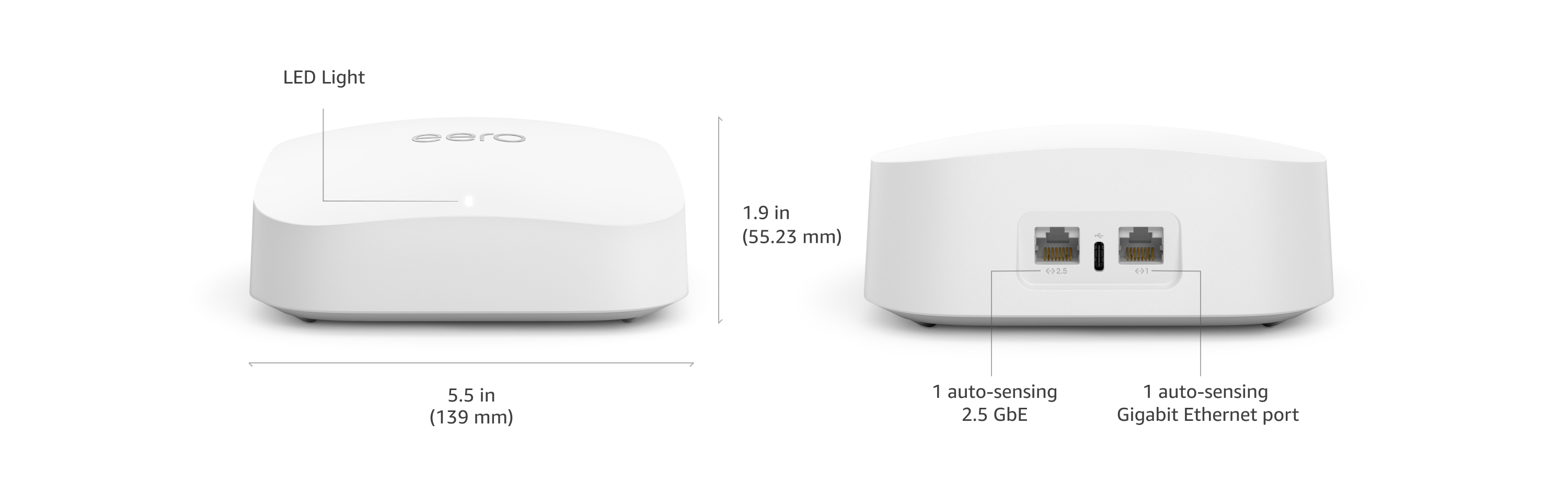


Tp Link Re315
The budget pick — an inexpensive WiFi 5 AC1200 extender that covers a dead zone cheaply, with an Ethernet port, easy app/WPS setup, and (unusually at this price) TP-Link OneMesh support for seamless roaming with a compatible router. WiFi 5 at modest speeds with good-not-great coverage, but the value standout for cheaply patching a dead zone.
The TP-Link RE315 (AC1200) is the budget pick — an inexpensive, reliable WiFi 5 extender that covers a dead zone cheaply, for patching a weak-signal area without spending much. It's a dual-band AC1200 WiFi 5 extender that extends coverage to a reasonable area, has an Ethernet port to hardwire a device, supports TP-Link OneMesh (so with a compatible router it can still do seamless roaming — unusual at this price), and sets up easily via the Tether app or WPS, all at a low price. TP-Link's value reputation makes this a hugely popular budget extender. It's the choice for cheaply extending WiFi to a dead zone — a back room, garage, or upstairs corner. It's WiFi 5 at modest AC1200 speeds (fine for browsing and streaming, slower for demanding use) with good-not-great coverage, but for cheaply patching a dead zone with the bonus of OneMesh support, it's the value standout.
Pros
- ✓Inexpensive, reliable dead-zone fix
- ✓OneMesh support — rare at this price
- ✓Ethernet port; easy app/WPS setup
- ✓Popular TP-Link value extender
Cons
- ✗WiFi 5 at modest AC1200 speeds
- ✗Good-not-great coverage
| Wifi standard | Wi-Fi 5 (802.11ac) |
| Max speed | AC1200 (867 Mbps @ 5 GHz + 300 Mbps @ 2.4 GHz) |
| Bands | Dual-band (2.4 GHz + 5 GHz) |
| Coverage area | 1,500 sq ft |
| Ethernet ports | 1 x 10/100 Mbps |
| Mesh compatible | Yes (TP-Link OneMesh) |

Netgear Ex7300
The tri-band coverage pick — an AC2200 tri-band extender with a dedicated backhaul band (FastLane3) that reduces the usual speed-halving penalty, strong coverage, a gigabit port, and Smart Roaming. It's WiFi 5 (not WiFi 6) and premium-priced, but the standout for strong coverage with better-maintained speed thanks to the dedicated backhaul.
The Netgear EX7300 (Nighthawk Mesh X6S, AC2200) is the high-coverage tri-band pick — strong coverage and a dedicated backhaul band, though it's WiFi 5. It's a tri-band AC2200 extender whose third band acts as a dedicated backhaul to the router (FastLane3), reducing the usual bandwidth-halving penalty and maintaining more speed in the extended area than a typical dual-band extender, with strong coverage for larger homes, a gigabit port, and Smart Roaming (same-SSID option for more seamless roaming). Netgear Nighthawk is a respected performance line. It's WiFi 5 (older and lower-peak than the WiFi 6 picks with modern devices) and a premium price, but for strong coverage with better-maintained speed thanks to the dedicated backhaul band, it's the standout.
Pros
- ✓Tri-band with dedicated backhaul — less speed loss
- ✓Strong coverage for larger homes
- ✓Smart Roaming (same-SSID) plus a gigabit port
- ✓Respected Nighthawk performance
Cons
- ✗WiFi 5, not WiFi 6 — lower peak with modern devices
- ✗Premium price
| Wifi standard | Wi-Fi 5 (802.11ac) |
| Max speed | AC2200 (up to 2200 Mbps) |
| Bands | Dual-band (2.4 GHz + 5 GHz) |
| Coverage area | 2,300 sq ft |
| Ethernet ports | 1 x Gigabit |
| Mesh compatible | Yes (Mesh Smart Roaming, single WiFi name) |

Tp Link Re605x
The best overall — a WiFi 6 AX1800 extender with good coverage, a gigabit port, and TP-Link OneMesh support so it forms one seamless network with automatic roaming (paired with a compatible router), at a reasonable price. The backhaul penalty still applies and seamless roaming needs a OneMesh router, but the sweet spot of WiFi 6 speed, coverage, mesh capability, and value.
The TP-Link RE605X (AX1800) is a WiFi 6 extender that's genuinely fast, covers a good area, and supports OneMesh so it works as part of a seamless network rather than a separate one — at a reasonable price. It uses WiFi 6 (faster and more efficient with multiple devices than the WiFi 5 in cheaper extenders) at AX1800 dual-band speeds, extends coverage to a large area with a gigabit Ethernet port, and crucially supports TP-Link OneMesh — so with a compatible router it forms one seamless network with a single name and automatic roaming, solving the biggest extender frustration. It still has the inherent backhaul penalty all extenders share, OneMesh seamless roaming needs a compatible TP-Link router, and it's mid-priced, but for the best balance of WiFi 6 speed, coverage, mesh capability, and value, it's the one most people should buy.
Pros
- ✓WiFi 6 AX1800 — fast and efficient with many devices
- ✓OneMesh support: one seamless network, automatic roaming
- ✓Good coverage plus a gigabit Ethernet port
- ✓Reasonable price for the capability
Cons
- ✗Inherent extender backhaul speed penalty
- ✗Seamless roaming needs a compatible OneMesh router
| Wifi standard | Wi-Fi 6 (802.11ax) |
| Max speed | AX1800 (1201 Mbps @ 5 GHz + 574 Mbps @ 2.4 GHz) |
| Bands | Dual-band (2.4 GHz + 5 GHz) |
| Coverage area | 1,500 sq ft |
| Ethernet ports | 1 x Gigabit |
| Mesh compatible | Yes (TP-Link OneMesh) |

Linksys Re7350
The value WiFi 6 pick — a WiFi 6 AX1800 extender with good coverage, a gigabit port, and a seamless roaming option, at a competitive price from the established Linksys brand. Lacks the broad OneMesh/AiMesh ecosystem integration of TP-Link/ASUS, but a strong value alternative for capable WiFi 6 extension.
The Linksys RE7350 (AX1800) is a solid value WiFi 6 pick — a WiFi 6 AX1800 extender with good coverage and a gigabit port at a competitive price, for modern WiFi 6 extension without paying premium. It delivers WiFi 6 speeds and efficiency, extends coverage well, has a gigabit Ethernet port, and supports a seamless roaming option (matching your router's SSID), from the established Linksys brand, at a price that competes with the TP-Link RE605X. It's a good alternative WiFi 6 extender for AX1800 performance and coverage at value pricing, especially if you prefer Linksys or find it cheaper. It lacks the broad OneMesh/AiMesh ecosystem integration of TP-Link and ASUS (its seamless roaming is more basic), and it's a similar mid-range price, but for a capable, well-priced WiFi 6 extender, it's a strong value option.
Pros
- ✓WiFi 6 AX1800 at a competitive price
- ✓Good coverage plus a gigabit port
- ✓Seamless roaming option (same-SSID)
- ✓Established Linksys brand
Cons
- ✗Lacks broad OneMesh/AiMesh ecosystem integration
- ✗Similar mid-range price to the RE605X
| Wifi standard | Wi-Fi 6 (802.11ax) |
| Max speed | AX1800 (1200 Mbps @ 5 GHz + 600 Mbps @ 2.4 GHz) |
| Bands | Dual-band (2.4 GHz + 5 GHz) |
| Coverage area | 2,000 sq ft |
| Ethernet ports | 1 x Gigabit |
| Mesh compatible | Limited (seamless roaming when paired with Linksys Mesh/Velop/Max-Stream routers; not a mesh node itself) |
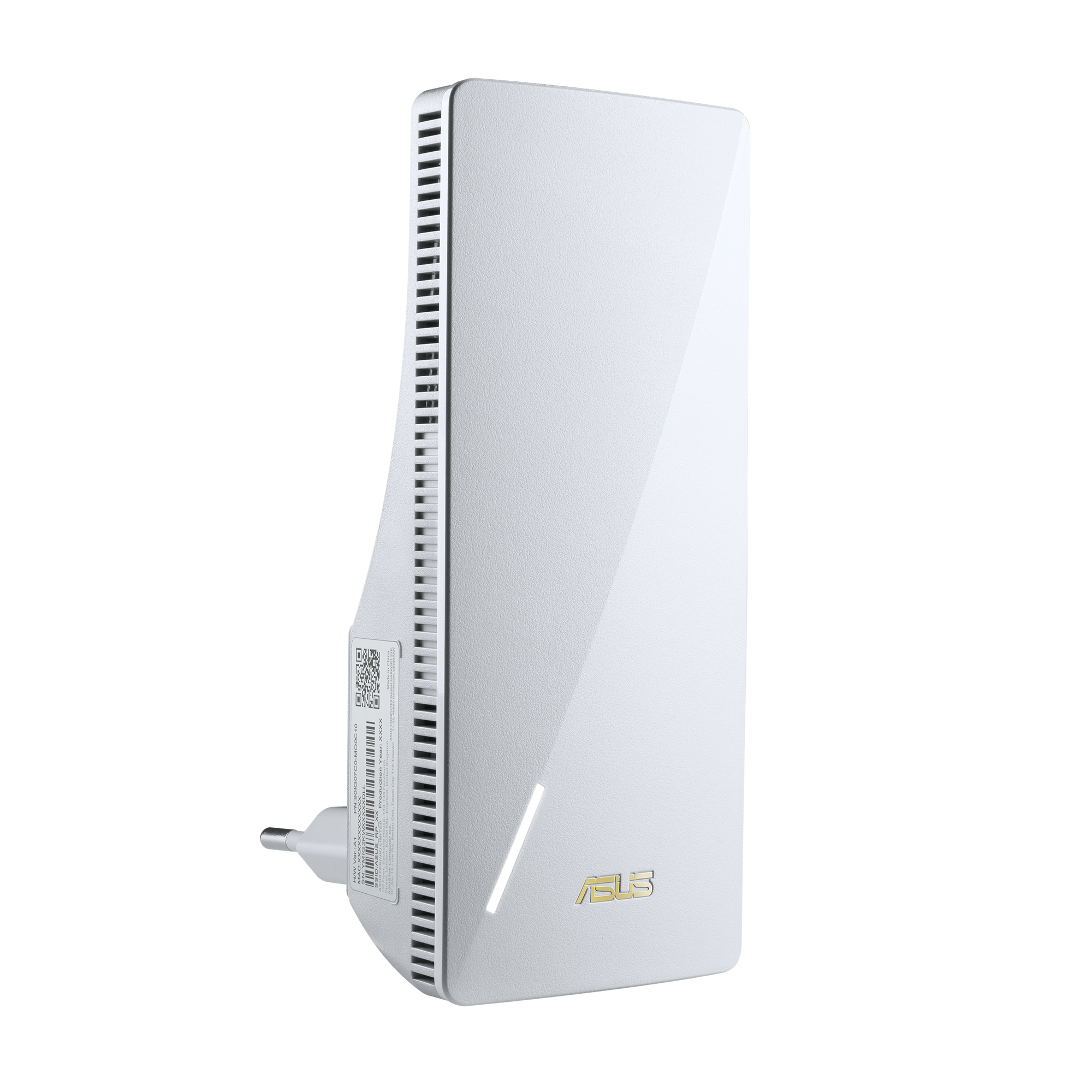
Asus Rp Ax58
The premium WiFi 6 pick — a fast AX3000 dual-band extender with a gigabit port and ASUS AiMesh support, joining a powerful seamless mesh as a node when paired with an ASUS router. Premium price and AiMesh needs a compatible router, but the standout for the fastest WiFi 6 extension and best mesh integration.
The ASUS RP-AX58 (AX3000) is the premium WiFi 6 pick — the fastest, most capable extender here with AiMesh support, ideal for pairing with an ASUS router. It's a WiFi 6 AX3000 dual-band extender delivering high speeds and strong coverage, with a gigabit Ethernet port, and crucially supports ASUS AiMesh — so with a compatible ASUS router it joins a powerful whole-home mesh as a node, with one seamless network and AiMesh's robust management. ASUS networking is known for performance and feature depth, and this is among the fastest, most capable extenders, especially in an AiMesh ecosystem. It's a premium price, AiMesh seamless behaviour needs a compatible ASUS router, and the extender backhaul penalty still applies, but for the fastest WiFi 6 extension with the best mesh integration, it's the standout.
Pros
- ✓WiFi 6 AX3000 — fastest, most capable here
- ✓ASUS AiMesh: joins a seamless whole-home mesh
- ✓Strong coverage plus a gigabit port
- ✓Robust ASUS performance and management
Cons
- ✗Premium price; AiMesh needs a compatible ASUS router
- ✗Extender backhaul penalty still applies
| Wifi standard | Wi-Fi 6 (802.11ax) |
| Max speed | AX3000 (2402 Mbps @ 5 GHz + 574 Mbps @ 2.4 GHz) |
| Bands | Dual-band (2.4 GHz + 5 GHz) |
| Coverage area | 2,200 sq ft |
| Ethernet ports | 1 x Gigabit |
| Mesh compatible | Yes (ASUS AiMesh) |
Which one is right for you?
For most people wanting WiFi 6 and seamless roaming
Tp Link Re605x
WiFi 6 AX1800 speed, good coverage, a gigabit port, and OneMesh support for one seamless network with automatic roaming, at a reasonable price — the best balance.
For the fastest extender with an ASUS router
Asus Rp Ax58
WiFi 6 AX3000 speed and AiMesh support let it join a powerful seamless whole-home mesh as a node — the fastest, most capable extender here.
For strong coverage with a dedicated backhaul
Netgear Ex7300
A tri-band extender with a dedicated backhaul band reduces the usual speed-halving penalty and covers larger homes well, if WiFi 5 is fine.
For value WiFi 6 extension
Linksys Re7350
WiFi 6 AX1800 performance, good coverage, a gigabit port, and seamless-roaming option at a competitive price — a strong-value alternative to the RE605X.
For cheaply patching a dead zone
Tp Link Re315
An inexpensive WiFi 5 AC1200 extender with easy setup and surprise OneMesh support patches a back room or garage dependably for little money.
Top pick: TP-Link RE605X
The TP-Link RE605X (AX1800) is the best for most people because it's a WiFi 6 extender that's genuinely fast, covers a good area, and supports OneMesh so it works as part of a seamless network rather than a separate one — at a reasonable price. It uses WiFi 6 (the modern standard, faster and more efficient with multiple devices than the older WiFi 5 in cheaper extenders) at AX1800 dual-band speeds, extends coverage to a large area with a gigabit Ethernet port (to also hardwire a device or act as a wireless bridge), and crucially supports TP-Link OneMesh — so paired with a compatible TP-Link router it forms one seamless network with a single name, letting your devices roam without manually switching to a separate extender network. TP-Link is the dominant networking value brand, and the RE605X hits the sweet spot of WiFi 6 speed, coverage, mesh capability, and price.
Its appeal is that WiFi 6 speed, the good coverage, the gigabit port, and especially the OneMesh seamless-roaming support together solve the biggest extender frustration (a slow, separate '_EXT' network you keep reconnecting to): with OneMesh you get one network and automatic roaming. For someone with a TP-Link OneMesh router and a dead zone, it's the ideal upgrade; even without one it's a fast, capable standalone WiFi 6 extender.
The honest caveats: like all extenders it still halves bandwidth on the backhaul versus a wired connection or a true mesh node (an extender repeats the signal, so there's an inherent speed penalty in the extended area), OneMesh seamless roaming requires a compatible TP-Link router (without one it's a standalone extender with the usual separate-network behaviour unless you match SSIDs), and it's a mid-range price. But for the best balance of WiFi 6 speed, coverage, mesh capability, and value, the RE605X is the one most people should buy.
The premium WiFi 6 picks: ASUS RP-AX58 and Netgear EX7300
The ASUS RP-AX58 (AX3000) is the premium WiFi 6 pick for someone who wants the fastest, most capable extender with AiMesh support — ideal for pairing with an ASUS router. It's a WiFi 6 AX3000 dual-band extender delivering high speeds and strong coverage, with a gigabit Ethernet port, and crucially supports ASUS AiMesh — so paired with a compatible ASUS router it joins a powerful whole-home mesh as a node, with one seamless network and AiMesh's robust management. ASUS networking is known for performance and feature depth, and the RP-AX58 is among the fastest, most capable extenders here, especially in an AiMesh ecosystem. It's the choice for someone with an ASUS router wanting to extend a fast, seamless AiMesh network, or anyone wanting top WiFi 6 extender performance. The trade-offs: it's a premium price, AiMesh seamless behaviour needs a compatible ASUS router, and the extender backhaul penalty still applies — but for the fastest WiFi 6 extender with the best mesh integration, it's the standout.
The Netgear EX7300 (Nighthawk Mesh X6S, AC2200) is the high-coverage tri-band pick for someone who wants strong coverage and a dedicated backhaul band — though it's WiFi 5. It's a tri-band AC2200 extender whose third band acts as a dedicated backhaul to the router (FastLane3 technology), reducing the usual bandwidth-halving penalty and maintaining more speed in the extended area than a typical dual-band extender, with strong coverage for larger homes, a gigabit port, and Netgear's Smart Roaming (it can use the same SSID as your router for more seamless roaming). Netgear Nighthawk is a respected performance networking line. It's the choice for someone wanting strong coverage with better-maintained speed thanks to the dedicated backhaul band, who doesn't specifically need WiFi 6. The trade-offs are that it's WiFi 5 (not WiFi 6, so older and slower-peak than the RE605X/RP-AX58 with modern devices) and a premium price, but for tri-band coverage with a dedicated backhaul, it's the standout.
Choose between them by ecosystem and standard. The ASUS RP-AX58 wins for the fastest WiFi 6 and best mesh (with an ASUS AiMesh router). The Netgear EX7300 wins for tri-band coverage and a dedicated backhaul band (if WiFi 5 is fine). The ASUS is the premium WiFi 6 pick; the Netgear the tri-band coverage pick.
The value and budget picks: Linksys RE7350 and TP-Link RE315
The Linksys RE7350 (AX1800) is a solid value WiFi 6 pick — a WiFi 6 AX1800 extender with good coverage and a gigabit port at a competitive price, for someone who wants modern WiFi 6 extension without paying premium. It delivers WiFi 6 speeds and efficiency, extends coverage well, has a gigabit Ethernet port, and supports a seamless roaming option (matching your router's SSID), from the established Linksys brand, at a price that competes with the TP-Link RE605X. It's a good alternative WiFi 6 extender for someone who wants AX1800 performance and coverage at value pricing, particularly if they prefer Linksys or find it cheaper. It lacks the broad OneMesh/AiMesh ecosystem integration of the TP-Link and ASUS (its seamless roaming is more basic), and it's a similar mid-range price, but for a capable, well-priced WiFi 6 extender, it's a strong value option.
The TP-Link RE315 (AC1200) is the budget pick — an inexpensive, reliable WiFi 5 extender that covers a dead zone cheaply, for someone who just wants to patch a weak-signal area without spending much. It's a dual-band AC1200 WiFi 5 extender that extends coverage to a reasonable area, has an Ethernet port (to hardwire a device), supports TP-Link OneMesh (so with a compatible router it can still do seamless roaming — unusual at this price), and sets up easily via the Tether app or WPS, all at a low price. TP-Link's value reputation makes this a hugely popular budget extender. It's the choice for cheaply extending WiFi to a dead zone — a back room, a garage, an upstairs corner. The trade-offs: it's WiFi 5 (not WiFi 6) at modest AC1200 speeds (fine for browsing and streaming, slower for demanding use), and coverage is good-not-great, but for cheaply patching a dead zone — with the bonus of OneMesh support — it's the value standout.
Choose between them by standard and budget. The Linksys RE7350 wins as a capable WiFi 6 AX1800 extender at value pricing. The TP-Link RE315 wins on the lowest price for basic WiFi 5 dead-zone patching (with surprise OneMesh support). The Linksys is the value WiFi 6 pick; the RE315 the budget pick.
How to choose: extender vs mesh, WiFi 6, mesh compatibility, and placement
Understand first that an extender is a compromise, and decide whether you actually want one versus a mesh system. A WiFi extender (repeater) receives your router's signal and rebroadcasts it to cover a dead zone — it's the cheapest, simplest fix for one weak-signal area, but it has inherent downsides: it typically halves the bandwidth on the link back to the router (the backhaul) unless it has a dedicated backhaul band (like the tri-band Netgear), and a basic extender creates a separate network (often '_EXT') that your devices don't automatically roam between, so you manually reconnect. A mesh WiFi system, by contrast, uses multiple coordinated nodes to blanket your whole home in one seamless network with automatic roaming and better whole-home performance — it's the better (but pricier) solution for whole-home coverage. So: choose an extender to cheaply fix one or two dead zones; choose a mesh system for whole-home coverage. The extenders here that support a mesh standard (OneMesh, AiMesh) blur this line by giving extender simplicity with mesh-like seamless roaming when paired with a compatible router.
Prioritise WiFi 6 and mesh compatibility for the best experience. WiFi 6 (the modern standard, in the RE605X, RP-AX58, RE7350) is faster, more efficient with many devices, and more future-proof than the older WiFi 5 (in the EX7300, RE315) — choose WiFi 6 if your router and devices support it and you want the best speed, especially with multiple devices. Mesh compatibility is the other big factor: an extender that supports your router's mesh standard (TP-Link OneMesh, ASUS AiMesh) forms one seamless network with automatic roaming — eliminating the annoying separate-network problem — so if you have a TP-Link OneMesh or ASUS AiMesh router, choosing a matching extender (RE605X/RE315 for OneMesh, RP-AX58 for AiMesh) is a big advantage. If you don't have a mesh-compatible router, you can often still get more seamless roaming by manually setting the extender to the same network name (SSID) and password as your router.
Place the extender correctly and match its capability to your needs, because placement makes or breaks performance. Position the extender roughly halfway between your router and the dead zone — somewhere it still receives a strong signal from the router (an extender can only rebroadcast what it receives, so placing it where the router's signal is already weak gives weak extended WiFi); most extenders have a signal indicator to help you find a good spot. For capability: match speed to your needs (AX1800 is plenty for most homes; AX3000 or tri-band for demanding use or larger areas), use the gigabit Ethernet port if you can hardwire a device near the extender or use it as a wireless bridge, and remember the backhaul penalty (a dedicated-backhaul tri-band extender like the Netgear, or a wired backhaul, maintains more speed). So choose a WiFi 6 extender that matches your router's mesh standard if possible, size its speed to your needs, place it where it gets a strong router signal, and — if you need whole-home coverage rather than a dead-zone patch — seriously consider a mesh system instead.
