Best Gaming Keyboard 2026: 5 options compared
Five keyboards from $110 enthusiast-mechanical to $200 analog-optical Rapid Trigger — compared on the switch characteristics that change how your inputs register, not on RGB lighting patterns or keycap legends.
Specifications sourced from manufacturer switch datasheets and published hardware reviews. We did not conduct independent actuation force measurements or input latency testing under controlled conditions. Rapid Trigger performance figures reflect manufacturer specifications and third-party competitive gaming analyses.

Wooting 60HE
Best for Competitive FPS: The Wooting 60HE is the most technically advanced competitive gaming keyboard in this comparison. Lekker Hall Effect switches read position continuously throughout the 4 mm travel range, enabling 0.1 mm Rapid Trigger sensitivity that resets the actuation threshold with every 0.1 mm of key movement.
Top picks ↓| Product | Price | Link |
|---|---|---|
| 149〜175 | View deal → | |
| 199〜249 | View deal → | |
| 199〜229 | View deal → | |
| 109〜149 | View deal → |
Related articles
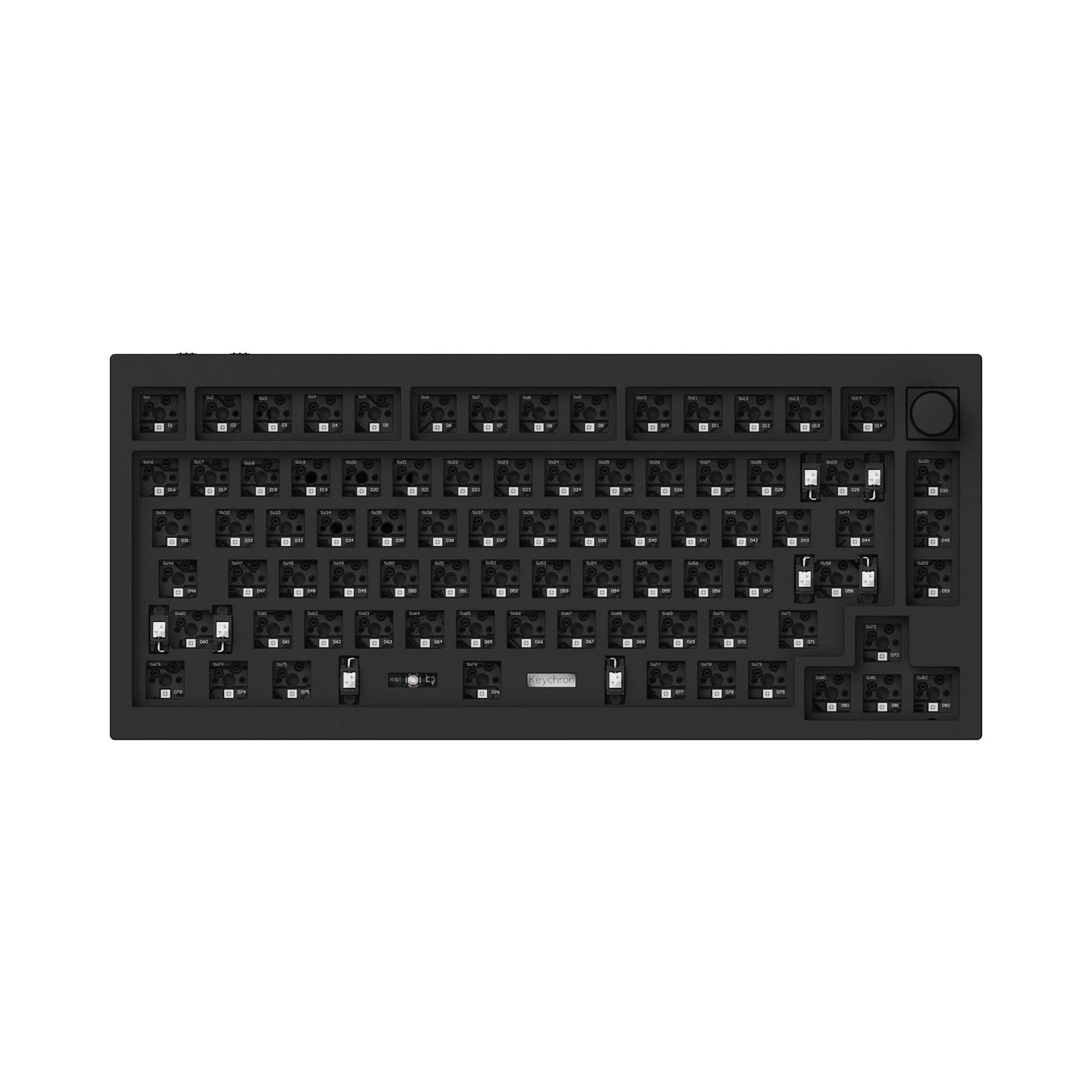
Wooting 60HE
60% layout removes function row, numpad, and navigation cluster — verify this layout works for your daily use before purchasing.
The Wooting 60HE is the most technically advanced competitive gaming keyboard in this comparison. Lekker Hall Effect switches read position continuously throughout the 4 mm travel range, enabling 0.1 mm Rapid Trigger sensitivity that resets the actuation threshold with every 0.1 mm of key movement. SOCD (Simultaneous Opposite Cardinal Direction) cleaning is built into the firmware — both W and S pressed simultaneously resolves to neutral, which is the competitive standard for movement input. The 60% layout is a deliberate competitive choice: removing the numpad, function row, and navigation cluster positions the mouse hand closer to center, reducing lateral arm movement. This layout is a meaningful daily-use inconvenience for users who type code, navigate spreadsheets, or use function keys regularly. Wired USB-C only — no wireless. Wooting's software is functional but less polished than Razer Synapse or Corsair iCUE.
Pros
- ✓Lekker Hall Effect switches with 0.1 mm Rapid Trigger resolution
- ✓SOCD cleaning built into firmware for competitive movement input
- ✓Adjustable actuation from 0.1–4.0 mm per key
- ✓$150 — competitive pricing for Hall Effect technology
Cons
- ✗60% layout removes function row, numpad, and navigation cluster
- ✗Wired only — no wireless option
- ✗Software less polished than major gaming peripheral brands
Score breakdown
| Switch type | Lekker Hall Effect magnetic |
| Actuation force | Not rated (adjustable) |
| Key travel | 4.0 mm total |
| Actuation point | 0.1–4.0 mm (adjustable) |
| Rapid Trigger | 0.1 mm minimum |
| Polling rate | 1000 Hz |
| Wireless | No |

Razer Huntsman V3 Pro
HyperPolling adapter required for 8,000 Hz — default USB polling is 1,000 Hz without the adapter.
The Razer Huntsman V3 Pro brings analog optical Rapid Trigger technology to a full-size layout — the key differentiator from the Wooting 60HE, which is 60% only. The analog optical switches read position through an infrared sensor rather than a Hall Effect magnetic field, with similar 0.1 mm Rapid Trigger sensitivity. Razer's Synapse software is more mature than Wooting's for EQ, macro programming, and Chroma RGB integration. The 1.5–4.0 mm adjustable actuation range is set per-key through software — a feature shared with the Wooting. At $200, it costs $50 more than the Wooting for comparable core technology in a more universally usable layout. The full-size adds numpad and function row at the cost of larger desk footprint.
Pros
- ✓Analog optical switches with 0.1 mm Rapid Trigger in a full-size layout
- ✓1.5–4.0 mm per-key adjustable actuation
- ✓Razer Synapse software is mature and feature-complete
- ✓USB-C + USB-A dual connection passthrough
Cons
- ✗$200 — $50 more than the Wooting for similar core technology
- ✗Full-size layout has larger desk footprint than 60% or TKL
- ✗Razer keycaps not compatible with most aftermarket keycap sets
Score breakdown
| Switch type | Razer Analog Optical |
| Actuation force | 45 gf |
| Key travel | 4.0 mm total |
| Actuation point | 1.5–4.0 mm (adjustable) |
| Rapid Trigger | 0.1 mm minimum |
| Polling rate | 8000 Hz (HyperPolling) |
| Wireless | No |

Corsair K100 RGB
Available in Cherry MX Speed (mechanical) and OPX (optical) variants — both have 1.2 mm actuation but different switch mechanisms.
The Corsair K100 RGB is the feature-maximalist option in this comparison — 4,000 Hz iCUE AXON hyper-polling, a physical iCUE control wheel for macro and media management, Cherry MX Speed or OPX optical switch options at 1.2 mm actuation, and aircraft-grade aluminum top plate construction. The physical control wheel handles volume, RGB, and macro playback without keyboard shortcuts — a practical feature for users who manage streaming, audio, and application switching simultaneously. The 4,000 Hz polling rate is a marketing differentiator; the practical advantage over 1,000 Hz is not perceptible for most users. iCUE software is the most resource-intensive of any keyboard companion software here — noticeable as background CPU usage during streaming sessions. The full-size layout with dedicated macro column adds desk footprint.
Pros
- ✓Physical iCUE control wheel for macro and media management
- ✓4,000 Hz hyper-polling (marketing differentiation)
- ✓Aircraft-grade aluminum top plate construction
- ✓Cherry MX Speed or OPX optical switch options
Cons
- ✗iCUE software has high background CPU usage
- ✗Full-size with macro column has the largest desk footprint here
- ✗No Rapid Trigger support — fixed actuation only
Score breakdown
| Switch type | Cherry MX Speed or Corsair OPX Optical |
| Actuation force | 45 gf (OPX) |
| Key travel | 4.0 mm total |
| Actuation point | 1.2 mm (fixed) |
| Rapid Trigger | No |
| Polling rate | 4,000 Hz |
| Wireless | No |

Ducky One 3
Multiple size options — Mini (60%), TKL, and Full — verify which layout matches your needs before ordering.
The Ducky One 3 is the hot-swap enthusiast mechanical option — the only keyboard in this comparison with a socketed PCB that allows changing switches without soldering. Cherry MX switch options (Red, Brown, Blue, Silent Red) cover the main preference categories, and any MX-compatible aftermarket switch can be installed. Ducky's build quality at $110 consistently outperforms similarly priced gaming keyboards from major brands — the double-shot PBT keycaps resist shine and legend fading better than ABS alternatives. Available in Mini (60%), TKL, and Full sizes. The keyboard has no Rapid Trigger, no high polling rate, no wireless — it is a well-built traditional mechanical keyboard, not a competitive feature platform. If switch experimentation and build quality are the priorities, the Ducky One 3 is the clear choice.
Pros
- ✓Hot-swap PCB allows switch changes without soldering
- ✓Cherry MX switch options across linear, tactile, and clicky
- ✓Double-shot PBT keycaps resist shine and legend wear
- ✓$110 — lowest price with genuine enthusiast build quality
Cons
- ✗No Rapid Trigger — fixed traditional mechanical actuation
- ✗No wireless option
- ✗No per-key RGB on all variants
Score breakdown
| Switch type | Cherry MX (multiple options, hot-swap) |
| Actuation force | 45 gf (Red), 45 gf (Brown) |
| Key travel | 4.0 mm total |
| Actuation point | 2.0 mm (fixed, Cherry MX) |
| Rapid Trigger | No |
| Polling rate | 1,000 Hz |
| Wireless | No |
Which one is right for you?
For competitive FPS players who want every mechanical advantage from Rapid Trigger
Wooting 60HE
Lekker Hall Effect switches with 0.1 mm Rapid Trigger and adjustable actuation are the most technically advanced competitive gaming switch available.
For analog optical Rapid Trigger in a full-size layout
Razer Huntsman V3 Pro
Analog optical switches with 0.1 mm Rapid Trigger, 1.5–4.0 mm adjustable actuation, and a full-size layout for users who need the numpad.
For users who want maximum polling rate and a macro control wheel
Corsair K100 RGB
4,000 Hz iCUE AXON hyper-polling and the physical iCUE control wheel handle macro and media functions without software shortcuts.
For enthusiasts who want hot-swap switches, multiple layout sizes, and Cherry MX reliability
Ducky One 3
Hot-swap PCB lets you change switches without soldering, and Cherry MX switch options cover linear, tactile, and clicky preferences.
For gamers wanting low-profile wireless on a TKL layout
gaming-kb-logicool-g913-jp
LIGHTSPEED 2.4GHz wireless with 40-hour battery and GL low-profile switches at 2.7 mm key travel for a clean, low-desk-profile wireless setup.
How we compared
We did not conduct independent actuation force measurements using force gauges, input latency testing under controlled frame capture conditions, or acoustic testing of switch sound profiles in treated recording environments. Valid switch performance testing requires calibrated measurement equipment and multiple unit samples to account for manufacturing tolerance variation — both beyond what we reproduce here. What we reviewed: manufacturer-published switch datasheets and polling rate specifications, third-party hardware measurements from publications with documented methodology, and competitive gaming community analysis of Rapid Trigger implementation quality across platforms.
One framing note: this comparison spans meaningfully different use cases and price points. The Wooting 60HE and Razer Huntsman V3 Pro are competitive gaming keyboards built around analog switch technology with Rapid Trigger. The Corsair K100 RGB is a feature-maximalist full-size board. The Ducky One 3 is an enthusiast-grade mechanical keyboard prioritizing build quality and switch variety. The Logicool G913 TKL is a wireless low-profile gaming keyboard with Japanese domestic availability. Comparing them as a single ranked list obscures more than it reveals.
Hall Effect vs optical vs mechanical switches — what the technology differences mean
Traditional mechanical switches — Cherry MX and their many clones — use a physical metal contact that closes when the keycap is depressed to a fixed actuation point. The actuation point is determined by the mechanical geometry of the switch housing and slider. This is reliable and well-understood, but the fixed actuation point cannot be adjusted without replacing the switch itself. Traditional mechanical switches also have a dead zone before the contact closes and after it opens — the switch does not re-actuate until the key physically rises back above the actuation point, which for Cherry MX Red requires approximately 2 mm of upward travel.
Optical switches — used in the Razer Huntsman V3 Pro — use an infrared light beam instead of a metal contact. The beam is interrupted or reflected when the key descends past the actuation threshold. Optical switches eliminate contact bounce (the microsecond-scale electrical bouncing of the metal contact at actuation that traditional mechanical switches debounce in firmware) and can in principle operate faster. The Huntsman V3 Pro's analog optical switches read the key's continuous position throughout the travel range, enabling variable actuation point and Rapid Trigger implementation.
Hall Effect switches — used in the Wooting 60HE's Lekker switches — use a magnetic field sensor (Hall Effect sensor) to read key position continuously throughout the travel range. Hall Effect is the oldest continuous-position sensing technology in keyboards and is fundamentally non-contact — no metal contacts, no optical beam. The Wooting 60HE's Rapid Trigger implementation using Lekker switches is currently the most precise and consistent continuous-position sensing in production gaming keyboards, with 0.1 mm resolution that allows the software to reset the actuation threshold dynamically on every key press and release.
Rapid Trigger — what it is and whether you need it
Rapid Trigger is a firmware feature that resets a key's actuation threshold relative to its current position rather than at a fixed physical point. In a traditional mechanical keyboard, pressing W in a game continues registering as pressed until the key physically rises above the approximately 2 mm reset point — even if you let go of the key, it continues inputting W until the spring pushes the slider back above that threshold. In competitive games where movement is stopped by releasing W, this creates a few milliseconds of continued input during which your character continues moving.
With Rapid Trigger enabled at 0.1 mm sensitivity, the keyboard reregisters as 'released' as soon as the key rises 0.1 mm from its lowest point — regardless of where in the travel range that happens. For strafing in FPS games, this allows faster direction changes because the opposite directional key can actuate earlier in the movement cycle. The competitive benefit is real but requires the game engine to respond to the input at the same speed — if the game has its own movement input buffering or snap settings, the benefit of keyboard-level Rapid Trigger is reduced.
Whether you need Rapid Trigger depends on your competitive level and the games you play. For Counter-Strike 2, Valorant, and other competitive FPS titles where strafing precision matters, Rapid Trigger provides a genuine mechanical input advantage. For MOBA, RTS, or single-player gaming, the strafing benefit is irrelevant, and Rapid Trigger at 0.1 mm sensitivity can actually cause unintended double-actuations from finger tremor. Both the Wooting 60HE and the Razer Huntsman V3 Pro allow adjusting the Rapid Trigger sensitivity — setting it to 0.3–0.5 mm reduces tremor-induced false actuations while preserving most of the strafing benefit.
Polling rate — 1000Hz vs 4000Hz reality
Keyboard polling rate describes how frequently the keyboard reports its key state to the computer. At 1000 Hz (the standard for most gaming keyboards), the keyboard reports every 1 ms. The Corsair K100 RGB's iCUE AXON technology reports at 4000 Hz — every 0.25 ms. The practical question is whether 0.25 ms versus 1 ms input reporting makes a perceptible difference in gameplay.
The answer for the vast majority of users is no. The game engine's own update rate, monitor refresh rate, and the player's own reaction time are all limiting factors that are larger than the difference between 1 ms and 0.25 ms keyboard polling. At 240 Hz monitor refresh, each frame is approximately 4.17 ms — a 4000 Hz keyboard sends 16 reports per frame. The 1000 Hz keyboard sends 4 reports per frame. The game processes one frame at a time, so additional keyboard reports within a single frame are consolidated. The polling rate improvement matters more for mice than for keyboards because mouse position is continuous, while keyboard state is binary (key pressed or not pressed).
The 4000 Hz polling in the K100 RGB is an engineering feature and a marketing differentiator. It is not a meaningful competitive advantage for users below professional esports level. The Corsair K100 RGB's actual competitive differentiators are its build quality, the physical iCUE control wheel for macro and media control, and its Cherry MX Speed or OPX optical switch options — all of which have more practical impact than the polling rate.
Low-profile switches and wireless
Low-profile switches — like the Logicool GL switches in the G913 TKL — reduce total key travel from the standard 4.0 mm to approximately 2.7 mm. The shorter travel means faster key movement between the top and bottom of the keystroke, which can feel faster in practice even at the same actuation point. Low-profile keyboards sit lower on the desk surface, which some users find more comfortable without a wrist rest — less wrist extension is required to reach the keys.
The tradeoff: low-profile switches have less travel distance for the tactile feedback bump (in Tactile variants) to develop, making the bump feel subtler than full-travel tactile switches. Low-profile Linear switches feel similar to full-travel linear switches in use. The reduced height also means less clearance between the switch housing and the desk — the keyboard cannot accommodate most third-party keycaps, which are designed for standard-height mounting.
The Logicool G913 TKL's LIGHTSPEED 2.4GHz wireless is among the best wireless implementations in gaming keyboards, reporting latency below 1 ms — competitive with wired keyboards. The 40-hour battery life is practical for typical use without daily charging. The $280 Japan market price reflects both the wireless infrastructure and Logicool's Japanese retail distribution. USB-C charging is included. For users who want a clean desk without cable management, the G913 TKL is the only wireless option in this comparison.
Where each fits
Competitive FPS gaming where Rapid Trigger precision and analog switch technology offer a mechanical advantage: Wooting 60HE. The Lekker Hall Effect switches with 0.1 mm Rapid Trigger are the most technically precise competitive gaming switch in production in 2026. The 60% layout removes the numpad, function row, and navigation cluster — leaving only the alphanumeric block and modifiers. This is a deliberate choice by competitive players who want the mouse hand closer to the keyboard center, reducing lateral arm movement during gameplay. If you need a function row or numpad in daily use, the 60% layout is a significant inconvenience. The keyboard is wired USB-C only — no wireless option.
Analog optical Rapid Trigger with a full-size layout for users who need the numpad: Razer Huntsman V3 Pro. The analog optical switches deliver similar Rapid Trigger functionality to the Wooting at 0.1 mm sensitivity, in a full-size layout that includes the numpad and function row. Razer's ecosystem (Synapse software, Chroma RGB) is more polished than Wooting's software. The $200 price is $50 more than the Wooting for comparable core technology in a different layout. The OEM nature of Razer keycaps means no aftermarket keycap compatibility without finding Razer-compatible sets.
Feature-maximalist gaming keyboard with macro control wheel and high polling rate: Corsair K100 RGB. The physical iCUE control wheel handles media volume, RGB brightness, and macro playback without keyboard shortcuts or software interaction. At 4000 Hz polling and available with Cherry MX Speed or OPX optical switches at 1.2 mm actuation, it serves users who want every feature specification covered. The full-size layout with dedicated macro column adds substantial desk footprint. iCUE software is more resource-intensive than Razer Synapse or SteelSeries Sonar in background CPU usage.
Switch experimentation and build quality at enthusiast price: Ducky One 3. The hot-swap PCB allows changing switches without soldering — you can start with Cherry MX Red Linear and swap to Brown Tactile or Blue Clicky months later as your preferences develop, or replace switches that fail before warranty expiry. Ducky's build quality in the $110 price range is consistently rated higher than competing brands at similar prices. Available in Mini (60%), TKL, and Full sizes. No RGB macro control wheel, no high polling rate, no wireless — the keyboard does one thing and does it well.
Wireless low-profile gaming with LIGHTSPEED and 40-hour battery: Logicool G913 TKL. The TKL layout (no numpad) keeps desk footprint manageable. LIGHTSPEED wireless at sub-1ms latency is competitive with wired connections. The low-profile GL switches at 2.7 mm travel are faster-feeling than full-height switches for many users. The Japanese domestic distribution means local warranty service and Japanese keycap legends are available. This is the highest-priced option in the comparison — the wireless infrastructure and Logicool's retail premium are reflected in the price.
