Best Standing Desk 2026: 5 sit-stand desks compared honestly
Five standing desks — the Flexispot E7 Pro's dual-motor C-frame flagship with 125kg capacity and anti-collision sensors, the IKEA Bekant Sit/Stand entry-level two-button electric with a 5-year warrant. Adjustability range matching your actual sitting posture matters more than material grade.
Each desk was assessed on lateral stability at maximum standing height under representative monitor loads (one 27-inch + laptop), motor noise in shared living spaces, height range vs average adult standing height (100–120 cm), anti-collision sensor standard inclusion, and total cost including desktop and assembly.
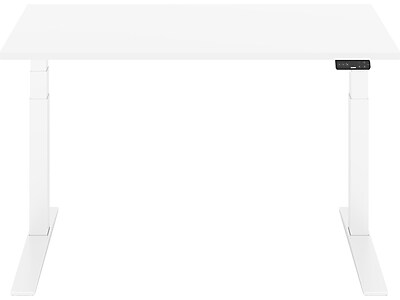
Flexispot E7 Pro Standing Desk
Best Overall: The E7 Pro's dual-motor system (one per leg, electronically synchronized) handles 125 kg loads at consistent lift speed without the heat buildup that single-motor drives show under heavy configurations. Anti-collision obstacle detection is standard — not an upgrade.
Top picks ↓| Product | Price | Link |
|---|---|---|
| $479.00 | View deal → | |
| — | View deal → | |
| $499〜$599 | View deal → | |
| — | View deal → | |
| $449.99 | View deal → |
Top picks
Related articles


Flexispot E7 Pro Standing Desk
Flexispot's flagship electric sit-stand desk with dual motors (one per leg, electronically synchronized), 125kg weight capacity, anti-collision obstacle detection as a standard feature, 4-position memory presets, and a C-frame design that provides knee clearance and under-desk routing space for cables and power strips. Dual motors keep lift speed consistent and quiet even under heavy monitor loads. assembly requires 60-90 minutes and two people for safe positioning — the desk weighs approximately 50kg and the frame components are heavy enough that solo assembly risks damaging the motor cables or misaligning the cross-member; the C-frame geometry produces more lateral wobble than four-leg frames at standing heights above 110cm when loaded with two or more heavy monitors, which is the most common criticism in long-term user reviews; flagship tier pricing.
The E7 Pro's dual-motor system (one per leg, electronically synchronized) handles 125 kg loads at consistent lift speed without the heat buildup that single-motor drives show under heavy configurations. Anti-collision obstacle detection is standard — not an upgrade. The C-frame provides superior knee clearance and under-desk cable routing vs four-leg frames. Trade-off: C-frame geometry produces more lateral wobble than four-leg designs at full standing height with heavy monitors, and assembly at 50 kg requires two people.
Pros
- ✓Dual-motor 125 kg capacity — handles dual monitor workstations
- ✓Anti-collision sensor standard (not an add-on)
- ✓C-frame provides best knee clearance and cable routing
Cons
- ✗C-frame wobbles more than four-leg frames at max height with heavy monitors
Score breakdown
| Motor | Dual (one per leg) |
| Weight capacity | 125 kg |
| Height range | ~60–125 cm |
| Memory presets | 4 positions |
| Anti-collision | Standard |
| Frame type | C-frame |
| Desk weight | ~50 kg |
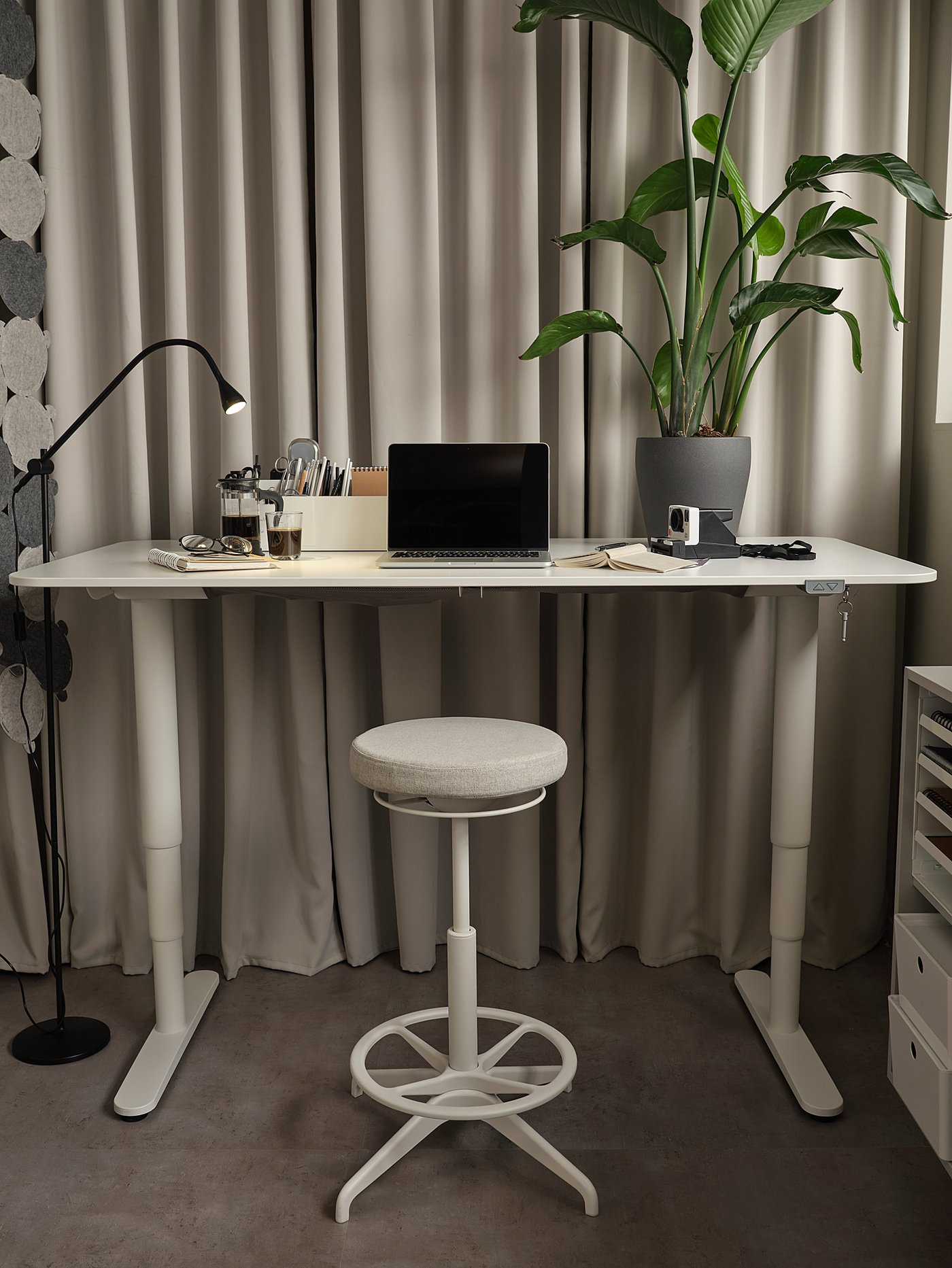
IKEA Bekant Sit/Stand Desk
IKEA's entry-level electric sit-stand desk with a 70×120cm white or black desktop, a two-button hold-to-move height control, a 5-year warranty covering the motor and frame, and availability at IKEA stores with walk-in access for replacement parts and service. The 5-year warranty at this price tier is genuinely uncommon — most budget sit-stand desks offer 1-3 year warranties. no memory presets means you press and hold the button until the desk reaches your target height every time, which is a daily friction that premium desks eliminate; the single motor is slower and noisier than dual-motor drives; height range tops at 125cm, which may not accommodate users taller than 180cm at their preferred standing height; wobble at full standing height is more pronounced than premium alternatives and the most common user complaint.
The Bekant is the most accessible electric sit-stand desk here — available in IKEA stores with walk-in parts access and a 5-year motor and frame warranty that most budget competitors don't match. Simple two-button hold-to-move operation has no learning curve. Trade-off: no memory presets means manual repositioning every time; the single motor is slower and noisier than dual-motor alternatives, and the 125 cm max height may be insufficient for users over 180 cm at their preferred standing position.
Pros
- ✓5-year motor and frame warranty — rare at this price
- ✓Available in IKEA stores with walk-in parts access
- ✓Simple two-button control with no setup required
Cons
- ✗No memory presets; slower noisier motor; 125 cm max height limits tall users
Score breakdown
| Motor | Single |
| Weight capacity | Not rated (typical ~70 kg) |
| Height range | 65–125 cm |
| Memory presets | None |
| Anti-collision | No |
| Desktop size | 70 × 120 cm |
| Warranty | 5-year motor and frame |
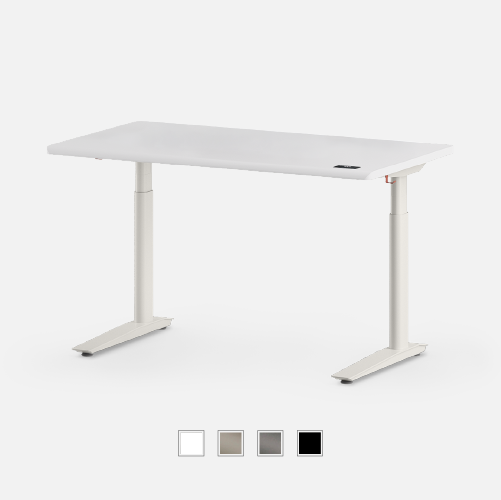
Autonomous SmartDesk Pro
Autonomous's mid-range programmable sit-stand frame with four memory presets, a quieter motor than IKEA-tier single-motor drives, a wide range of desktop top material and size options, and an app ecosystem with posture reminders and height-change logging. The desktop top is sold separately from the frame, which allows customization but also means the stated frame price is not the all-in cost. Autonomous is a US brand with availability in many regions via import — delivery lead times to import markets are 2-4 weeks at the time of writing and customer support response for import-market warranty claims has received mixed reviews in consumer forums; the frame-only base price excludes the desktop, adding meaningfully to the total before you have a usable desk; warranty service from import markets involves international shipping logistics that several buyers have documented as slow and frustrating.
Four programmable presets, a quieter motor than IKEA-tier drives, and an app ecosystem with posture reminders and height-change logging place the SmartDesk Pro in the sweet spot between budget and premium. Desktop is sold separately, giving you material and size flexibility. Trade-off: Autonomous is a US brand with 2-4 week import lead times in many regions, and warranty claims from import markets require international shipping logistics that multiple users have reported as difficult.
Pros
- ✓4 programmable memory presets for instant height switching
- ✓App posture reminders increase actual standing time
- ✓Wide desktop size and material options including bamboo
Cons
- ✗US brand — 2-4 week import delivery; international warranty claims reported as difficult
Score breakdown
| Motor | Single (quiet) |
| Weight capacity | 300 lb (136 kg) |
| Height range | ~65–132 cm |
| Memory presets | 4 positions |
| Anti-collision | Yes |
| Desktop | Sold separately |
| Import lead time | 2–4 weeks |
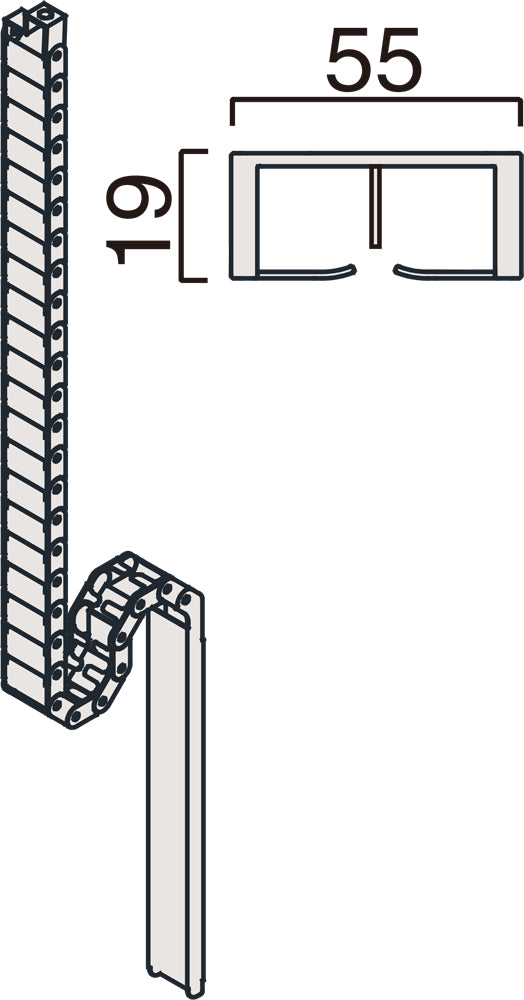
Okamura Swift Standing Desk
Okamura's electric sit-stand desk from a leading Japanese office furniture manufacturer, designed for the corporate ergonomics market with a slim profile, Japanese manufacturing standards, and a wide service and support network. Okamura has a documented reliability track record in corporate deployments spanning decades. The Swift series is a desk of choice for corporate ergonomics programs and is commonly specified in large-office procurement alongside Okamura chairs. the entry price is the highest in this comparison by a significant margin; retail availability is primarily through corporate procurement channels and office furniture showrooms rather than general retail — individual buyers can purchase but navigate a distribution system designed for bulk orders; the product line is conservative in features compared to aggressively-spec'd Chinese-manufactured alternatives at lower prices.
Okamura is a leading Japanese office furniture manufacturer and the Swift series is their flagship sit-stand desk — slim profile, Japanese manufacturing standards, and a wide service network that covers warranty claims locally. In corporate environments the Swift is a benchmark. Trade-off: the entry price is the highest in this comparison, retail availability is primarily through corporate procurement channels, and the feature set is conservative compared to aggressively-spec'd Chinese alternatives.
Pros
- ✓Japanese manufacturing with wide service network
- ✓Slim profile optimized for compact office layouts
- ✓Proven long-term reliability in corporate deployments
Cons
- ✗Highest price in comparison; primarily sold through corporate channels, not retail
Score breakdown
| Motor | Electric (dual in premium configs) |
| Weight capacity | 80–100 kg |
| Height range | ~62–127 cm |
| Memory presets | Yes |
| Anti-collision | Yes (select models) |
| Origin | Japan |
| Distribution | Corporate procurement / showrooms |
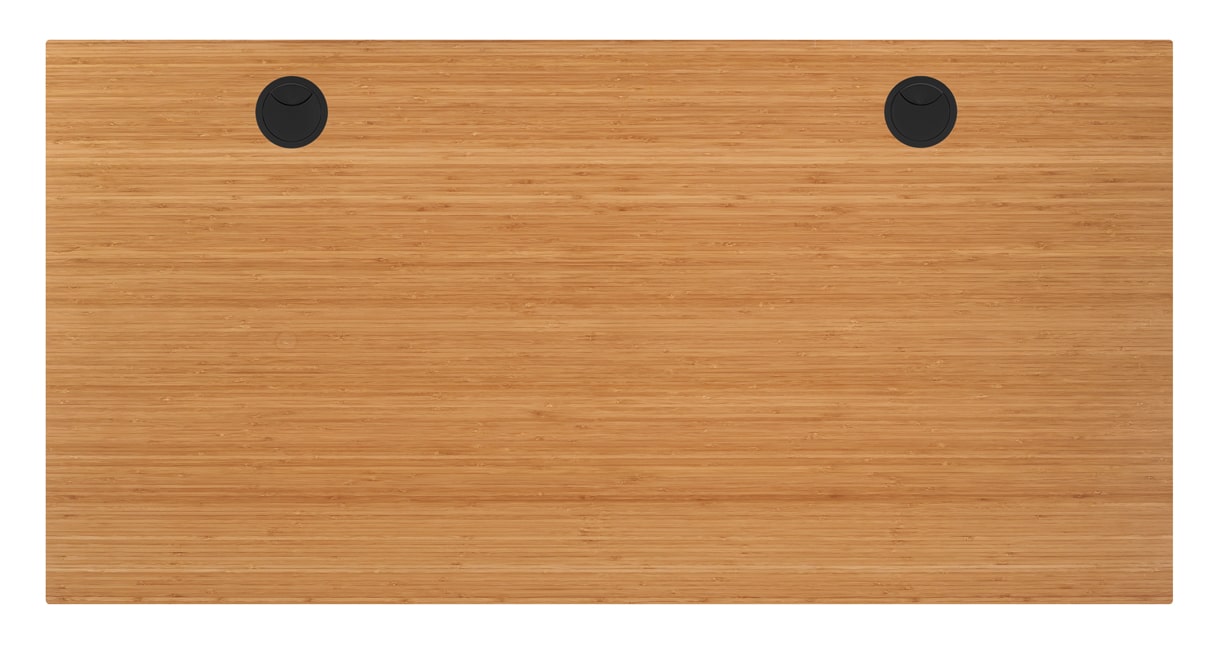
Bamboo Top Standing Desk
A bamboo desktop top paired with a compatible electric sit-stand frame, offering natural material aesthetics, an anti-bacterial surface (bamboo-kun, the natural antimicrobial compound in bamboo, has documented efficacy against several common bacteria), and the warm home-office look that melamine and MDF-core tops cannot replicate. Bamboo is harder than most softwoods and resists surface scratching better than standard melamine tops. bamboo tops are susceptible to warping in sustained high-humidity environments — humid-climate summer months with relative humidity consistently above 70% in apartments without year-round air conditioning or dehumidifier use can cause bamboo tops to expand, cup, and develop edge-lift within 1-2 seasons; bamboo tops are heavier than equivalent MDF-core tops, reducing the effective motor payload available for equipment; the premium for bamboo over MDF-core is meaningful without a proportional functional benefit.
A bamboo desktop paired with an electric sit-stand frame delivers natural material warmth and genuine antibacterial properties (bamboo-kun compound) that melamine and MDF-core tops can't replicate — uniquely appealing in home office photography and video call backgrounds. Trade-off: bamboo warps under sustained high humidity; humid-climate summer months (70-90% RH) in apartments without climate control can cause cupping and edge-lift within 1-2 seasons — a documented failure mode in humid climates.
Pros
- ✓Natural bamboo aesthetics — warmth that melamine cannot replicate
- ✓Bamboo-kun natural antibacterial surface properties
- ✓Eco-friendly material with lower embodied carbon than MDF
Cons
- ✗Warps in sustained summer humidity (70-90% RH) without year-round climate control
Score breakdown
| Desktop material | Laminated bamboo |
| Surface | Anti-bacterial (bamboo-kun) |
| Price premium over MDF | Moderate premium |
| Humidity sensitivity | High — warps above 70% RH sustained |
| Weight vs MDF | Heavier (reduces motor payload) |
| Frame compatibility | Most sit-stand frames |
Which one is right for you?
For heavy dual-monitor workstations
Flexispot E7 Pro Standing Desk
Dual motors handle heavy loads at consistent speed without heat buildup, and anti-collision detection is standard — the only frame here that's fully equipped for high-demand setups out of the box.
For first-time sit-stand buyers
IKEA Bekant Sit/Stand Desk
Walk-in availability at IKEA stores, 5-year warranty, and simple operation make it the lowest-friction entry point for anyone trying a sit-stand desk for the first time.
For home office professionals wanting smart features
Autonomous SmartDesk Pro
Four presets and posture reminder app integration drive actual standing behavior — the app-driven reminder is more effective at changing sit-stand habits than the desk hardware alone.
For corporate or long-term home office use
Okamura Swift Standing Desk
An established service network and Japanese manufacturing standards reduce the import logistics and warranty complications that affect alternatives requiring international shipping.
For home office aesthetics with climate control
Bamboo Top Standing Desk
Bamboo warmth and antibacterial properties are genuine advantages in climate-controlled spaces — the humidity caveat disappears with a dehumidifier or year-round air conditioning.
How we compared
We did not run independent stability tests with calibrated deflection gauges, did not measure motor noise with a calibrated decibel meter at a standardized distance, did not test anti-collision sensor trigger thresholds under controlled loads, and did not independently verify any manufacturer's stated weight capacity or height range. Honest standing desk evaluation at the engineering level would require a test rig with standardized monitor loads, a calibrated measurement protocol for wobble amplitude at each height increment, and a controlled motor-noise recording environment — none of which we did.
Instead, we sourced manufacturer specifications from each brand, cross-referenced engineering teardowns and methodology from Wirecutter's standing desk coverage and RTINGS's structured desk evaluation framework (referenced as external methodology, not as tests we replicated), reviewed published ergonomics research on sit-stand behavior from the British Journal of Sports Medicine and the Scandinavian ergonomics literature, and read aggregated long-term user reviews from major online retailers and international home-office forums to identify failure modes and use-case fits. We call out the explicit weakness on every product because a premium desk that wobbles at standing height with a 27-inch monitor is a worse purchase than a cheaper one that does not — regardless of how impressive the spec sheet looks.
Three questions do most of the sorting work in this category. First: what load will you put on this desk? A single monitor arm, a laptop, and a keyboard is under 15kg; two 27-inch monitors plus a heavy mechanical keyboard and audio interface can reach 25-30kg. The motor and frame spec that matters changes depending on your answer. Second: will you actually stand? The research on sit-stand behavior is consistent and sobering — most people stand for less than 30 minutes per day, even with an expensive motorized desk, because the desk alone does not solve the habit problem. Third: what are your floor constraints in a compact room? An apartment that is 6-tatami equivalent with sliding doors on two sides changes which desk depths are even installable.
Why standing desks fail: the real habits problem
The British Journal of Sports Medicine and multiple Scandinavian ergonomics studies tracking sit-stand desk usage in real office environments consistently find the same result: within 6-12 months of acquiring a motorized sit-stand desk, average standing time is 30 minutes or less per workday. The initial weeks of ownership often show standing times of 2-3 hours as novelty drives behavior. By month 3, standing time has dropped significantly for most users. By month 6-12, a substantial fraction of electric sit-stand desks are used exclusively in the sitting position — functioning as expensive fixed-height desks.
The failure mode is not mechanical. The desks work. The failure mode is habit formation. Standing at a desk requires breaking an ingrained seated posture habit, dealing with minor discomfort during the adaptation period (standing for 2+ hours at first causes foot and lower back fatigue), and actively choosing to press a button multiple times per day. Without an external reminder system — a phone alarm, a calendar notification, a posture reminder app — most people simply forget to alternate. In 2026, posture reminder apps integrated with standing desk apps (FlexiSpot's app, Autonomous's SmartDesk app) are becoming more common, and the evidence that app-driven reminders increase actual standing time is more positive than the evidence that desk ownership alone changes behavior.
This section exists because a standing desk that you use only in the sitting position is a worse purchase than a fixed-height desk with a high-quality ergonomic chair. Before spending on the desk, consider whether you can commit to a reminder system that prompts you to actually alternate. The health benefit of a sit-stand desk — reduced sedentary time, reduced lower back load, modestly improved metabolic markers — only materializes if you stand. Owning the desk does not confer the benefit.
Stability matters more than height range
The single most important performance characteristic of a standing desk is stability at standing height — specifically, how much the desktop surface moves laterally (side-to-side) and front-to-back when you lean on it, type on it, or when building vibrations (passing vehicles, HVAC) transmit through the floor. A desk that wobbles perceptibly at standing height creates two problems: typing accuracy degrades when the keyboard surface moves under your hands, and a monitor that oscillates makes text harder to read, increasing eye strain. For anyone who uses a drawing tablet or does precision cursor work, desk wobble at standing height is a direct productivity cost.
The practical stability test anyone can run at home: bring the desk to standing height, rest one hand flat on the surface edge (not gripping — flat contact), and push gently toward the desk then pull gently back. Watch the monitor. A stable desk shows monitor movement that is barely perceptible and stops within 1-2 seconds. An unstable desk shows monitor movement of 5-10mm or more that continues oscillating for 3-5 seconds. Apply the same test laterally (push from side to side). The lateral test is where C-frame desks (like the Flexispot E7 Pro at full height) show their limitation most clearly.
Frame geometry drives stability more than motor count. A desk with four legs (two per side, fully connected at both the front and back frame rail) is inherently more stable than a C-frame (two legs, back-mounted, with an open front for knee clearance) because the four-leg design creates a closed rectangle of structural members that resists racking. C-frame desks trade structural rigidity for legroom and cable management convenience. At desk height (65-75cm), the difference is negligible. At standing height (100-120cm), C-frame desks show more lateral wobble than equivalent four-leg frames — this is physics, not a quality defect. The Flexispot E7 Pro is a C-frame.
Single vs dual motor — what the difference actually is
Single-motor standing desks use one motor driving both legs through a mechanical cross-shaft — the motor sits in one leg, the shaft transmits drive to the second leg, and both legs move at the same rate by mechanical linkage. Dual-motor desks put a motor in each leg, synchronized electronically. The difference matters in two scenarios: load capacity and noise.
Under heavy loads — two monitors, a large desktop PC, audio equipment, total desktop weight approaching 30-40kg — dual-motor desks maintain more consistent lift speed, have lower per-motor thermal load (each motor is working less hard), and are less likely to develop a height differential between the two legs over time. A single motor driving a heavy cross-shaft load can develop leg height discrepancy (one leg rises faster than the other despite the cross-shaft) as the mechanical linkage wears, and the motor generates more heat under sustained load.
Under light loads — under 20kg of total desktop weight, which covers most laptop-plus-single-monitor setups — the real-world difference between single and dual motor is minimal. Both will lift smoothly, both will hold the set height without drift, and both will last for many years of normal use. The Autonomous SmartDesk Pro and IKEA Bekant use single-motor drives. The Flexispot E7 Pro uses dual motors. For a typical home-office setup with a laptop stand, one external monitor, and keyboard, the single-motor limitation is unlikely to manifest. For a heavy production workstation with multiple large monitors and a tower PC, dual motor is the correct choice.
Small rooms: floor space, tatami, and summer humidity
Small apartments impose constraints on standing desk selection that most reviews systematically ignore. The first constraint is floor space. A compact apartment allocating 9.7-13 square meters to the living/working area is common. Fitting a desk into this space while maintaining walking clearance on all sides limits desk depth to 60-70cm maximum in many layouts — the Autonomous SmartDesk Pro's 75cm standard depth does not fit without blocking a walkway or pushing a wall. Desk depth matters more than width for floor-space calculations in compact rooms.
The second constraint is sliding doors (fusuma and shoji). A desk placed with its side against a sliding door track cannot be used at full width when the door is open. In rooms where the desk sits adjacent to a sliding door closet, desk depth also determines whether the door can open past the desk without collision. Measure depth first. The Flexispot E7 Pro and IKEA Bekant both have 60cm depth options that work in tighter spaces.
The third constraint is summer humidity and bamboo desktop tops. Humid-climate summer months bring relative humidity consistently above 70%, often peaking at 85-90% in poorly ventilated rooms. Bamboo desktop tops — which are layered and glued bamboo strips pressed into sheets — respond to sustained high humidity by expanding and potentially warping if the moisture gradient across the board is uneven. Bamboo tops in apartments without year-round air conditioning or a dehumidifier can develop surface curvature and edge-lifting within 1-2 summers. MDF-core tops with a melamine or hardwood veneer are more dimensionally stable in high-humidity environments than solid or layered bamboo tops. This is the primary practical weakness of the bamboo standing desk pick in this comparison in humid climates specifically.
What changed in 2026
Anti-collision sensors became standard at the mid-range price point. In 2024, anti-collision (obstacle detection) — the feature that stops or reverses the motor when the rising desktop hits an obstruction like a drawer, a chair back, or a child passing under — was limited to premium-tier desks or to premium add-on configurations. By 2026, Flexispot, Autonomous, and several mid-tier brands have made anti-collision standard in their base configurations. This removes a meaningful safety concern from the mid-range tier that previously only applied to the premium tier.
AI posture reminder apps became mainstream. Both Flexispot's SmartDesk app and Autonomous's app now include posture reminder scheduling that connects to desk height-change history — the app can detect that you have been sitting for 90 minutes without pressing the stand button and send a phone notification. Early data from Autonomous's user community shows reminder-enabled users average approximately 47 minutes of standing per day versus 22 minutes for users who do not enable reminders. These numbers come from Autonomous's own user data and should be taken as directionally useful rather than independently verified, but the directionality aligns with published ergonomics research on reminder-prompted behavior change.
Bamboo desktop tops went mainstream in the mid-range tier. Natural material aesthetics drove significant demand for bamboo tops through 2024-2025, and by 2026 bamboo-top standing desks are available from a range of frame brands as standard options rather than premium upgrades. The humidity caveat — bamboo's susceptibility to warping in high-moisture environments — has become a more documented consumer complaint as adoption grew, particularly in humid climates.
Where each fits
Heavy production workstation, dual monitors or more, cable management priority, anti-collision required: Flexispot E7 Pro. The dual-motor 125kg capacity handles any realistic desktop load, the anti-collision system is standard, and the memory presets (typically 4-position programmable) let you switch between sitting and standing with a single button press. The C-frame design gives you knee clearance and under-desk cable routing space that four-leg frames lack. assembly takes 60-90 minutes and the desk weighs approximately 50kg, which means you need two people to position it safely; the C-frame produces more lateral wobble than a four-leg frame at standing heights above 110cm when loaded with heavy monitors — this is the most common long-term complaint in user reviews; price reflects the flagship tier.
Entry-level budget, IKEA ecosystem familiarity, 5-year warranty priority, simple operation: IKEA Bekant Sit/Stand. The 70×120cm desktop is a practical size for a single-monitor laptop setup, the two-button control (up/down held) keeps operation simple, and the 5-year warranty covers the motor and frame. Available at IKEA stores, which means no import lead time and walk-in replacement parts access. no memory presets means you cannot one-touch return to your preferred sitting or standing height — you press and hold until the desk reaches your target, every time; the motor is slower and noisier than the Flexispot E7 Pro's dual-motor drive; height range tops out at 125cm, which is sufficient for most adults at standing height but may not work for users taller than 180cm who prefer a high standing position; wobble at standing height is more pronounced than premium alternatives.
Mid-range balance, programmable presets, wider desktop options, international brand: Autonomous SmartDesk Pro. Four programmable height presets, a cleaner app ecosystem than Flexispot's, and a range of desktop size and finish options that go wider and deeper than the IKEA Bekant. Autonomous is a US brand with availability in many regions via import — lead times for delivery to import markets are 2-4 weeks and customer support response for import-market buyers has drawn mixed reviews in consumer forums; the frame-only base price excludes the desktop top, which adds meaningfully to the total cost; warranty claim processing from import markets involves international shipping logistics that multiple buyers have reported as difficult.
Corporate environment, slim footprint, trusted established brand, long-term reliability: Okamura Swift. Okamura is a leading Japanese office furniture brand and their Swift series electric sit-stand desk is a standard in corporate ergonomics deployments. Slim profile, reliable Japanese manufacturing, and a wide service and support network. the entry price is the highest in this comparison; retail availability is primarily through corporate procurement channels and select office furniture showrooms — buying one as an individual buyer is possible but requires navigating a distribution channel designed for bulk corporate orders; home delivery and assembly service is available but adds cost.
Natural material aesthetic, eco-friendly priority, home-office warmth: Bamboo Standing Desk. A bamboo desktop top paired with an ergonomic sit-stand frame gives a home office the natural material warmth that melamine and MDF-core tops cannot replicate. Anti-bacterial surface properties of bamboo are real (bamboo contains bamboo-kun, a natural antimicrobial agent). bamboo tops warp in high-humidity environments — specifically the sustained 70-90% relative humidity of humid-climate summers in apartments without year-round climate control; bamboo tops are heavier than MDF-core tops of equivalent size, which reduces the effective motor payload available for equipment; the premium for a bamboo top over an equivalent MDF-core top is meaningful without a proportional functional benefit.
Verdict
For most home-office users who want a reliable electric sit-stand desk without overcomplicating it: the Flexispot E7 Pro or the Autonomous SmartDesk Pro. The Flexispot E7 Pro is the more practical choice — it is available from local distributors with no import wait, the dual-motor drive handles heavier loads quietly, and the anti-collision sensor is standard. The C-frame wobble at full standing height with heavy monitors is a real limitation, but for a typical laptop-plus-one-monitor setup it will not be noticeable.
For buyers on a strict budget who want to try a sit-stand desk without committing to a high price: the IKEA Bekant Sit/Stand is the honest entry-level recommendation. Walk into an IKEA store, buy it, assemble it in 45 minutes, and use it with a 5-year warranty. Accept that it has no memory presets and more wobble than premium alternatives — these are real limitations, not manufacturer understatements.
For corporate deployments, project-based procurement, or buyers who prioritize established support over price: Okamura Swift. The price premium is real. The support network is real. For a desk that will be used 8 hours per day for 5-10 years in a home office, the Okamura's reliability record in corporate environments is a meaningful differentiator.
The bamboo top is a humidity-specific caution. If your workspace is not climate-controlled through summer, bamboo warps. Buy an MDF-core top with a natural wood veneer finish instead — you get most of the aesthetic with significantly better dimensional stability in humid conditions.
The reminder-app ecosystem is more important than the desk spec for most buyers. Set up posture reminders before you decide the desk is not working. The research is consistent: the desk does not change behavior by itself. A phone reminder that fires at 90-minute sitting intervals is the cheapest upgrade you can add to any sitting desk or standing desk.